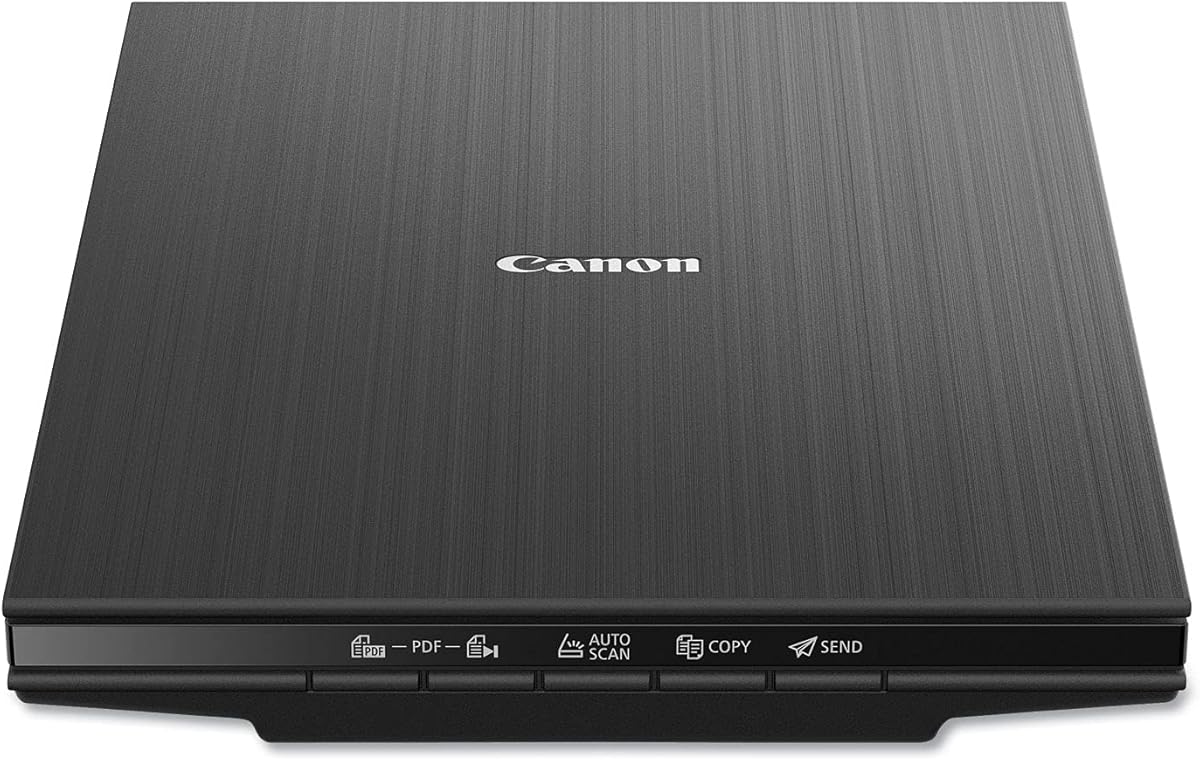
Canon CanoScan LiDE 400
4.1Editor score
Ultra-slim design saves desk space
USB-C power and data cable
4800 dpi high resolution scanning
Preserving your cherished memories requires the right tools to convert physical prints into digital formats. A quality photo scanner ensures your old images remain vibrant and accessible for future generations without degradation over time.
We evaluated ten leading photo scanners based on speed, resolution, ease of use, and software capabilities. Our analysis covers budget-friendly options and professional-grade devices suitable for various scanning needs and home environments.
Each pick highlights unique strengths like batch processing, color restoration, or portability. Prices and availability may vary, so verify current details before purchasing to ensure you get the best value for your specific project requirements.
4.1Editor score

4.5Editor score

4.4Editor score
As an Amazon Associate we earn from qualifying purchases.
This side-by-side comparison helps you quickly identify which scanner fits your budget and workflow. We highlight key specifications like resolution, scanning speed, and connectivity options across all ten top models.




The Epson FastFoto FF-680W stands out as the top choice for digitizing large photo collections quickly. With a rating of 4.5 stars, it offers unmatched speed and automation for families looking to preserve memories.
We may earn a commission when you buy through this link, at no additional cost to you.
Its high-speed technology allows you to scan up to 36 photos at once, processing them in seconds. The duplex feature captures both sides of photos, preserving handwritten notes on the back without extra effort.
While it is pricier than flatbed options, the time saved on large batches justifies the investment. Some users note it requires flat photos, but the included carrier sheets help protect delicate items.
This scanner is ideal for households with thousands of photos needing quick digitization. It balances speed, quality, and software tools better than any other model in its class today.
You can feed stacks of photos directly into the feeder for rapid processing. This saves hours compared to manual flatbed scanning for large collections.
The double-sided scanning feature captures notes or messages on the reverse of photos automatically. This ensures no context is lost during digitization.
We may earn a commission when you buy through this link, at no additional cost to you.
The Canon CanoScan LiDE 400 offers excellent value for beginners or those with smaller collections. It earns high marks for its slim design and ease of use without compromising on image quality.
We may earn a commission when you buy through this link, at no additional cost to you.
Its 4800 dpi resolution ensures crisp details even for enlargements. The USB-C connection simplifies setup by combining power and data into one cable, reducing clutter on your desk.
While it lacks the speed of automatic feeders, the manual scanning process ensures careful handling of delicate or fragile photos. You have full control over positioning and output quality.
This model is perfect for casual users who prioritize cost and space-saving design. It delivers reliable results for standard photo sizes without requiring complex software setup.
At just 0.4 inches thick, this scanner fits easily into drawers when not in use. It is ideal for small desks or shared workspaces.
A single cable handles both power and data transmission. This eliminates the need for bulky external power bricks.
We may earn a commission when you buy through this link, at no additional cost to you.
The AMBIR Photo Scanner Bundle provides a complete solution for preservation, including essential cleaning tools. Its 4.3 rating reflects user satisfaction with its organization features and photo handling capabilities.
We may earn a commission when you buy through this link, at no additional cost to you.
It supports auto crop and deskew functions, which correct skewed images automatically. The included cleaning kit protects fragile prints from dust and static damage during the scanning process.
You might find the software interface requires some time to learn compared to simpler drivers. However, the advanced editing tools offer flexibility for enhancing and arranging your digital library.
This bundle suits users who want extra care for old photos without buying separate accessories. It balances affordability with specialized features for preservation and organization tasks.
The package includes a blower, cloth, and soft brush. This helps remove dust before scanning to improve image clarity.
Picture Studio software helps tag, favorite, and arrange scans. You can create custom albums for easy navigation later.
We may earn a commission when you buy through this link, at no additional cost to you.
The Epson Perfection V19 II is designed for portability and ease of use. Despite its lower rating of 3.9, it remains a strong contender for casual users needing a reliable flatbed scanner.
We may earn a commission when you buy through this link, at no additional cost to you.
Its kickstand allows vertical storage, saving valuable desk space when not in use. The one-touch buttons simplify operations, making it accessible for those unfamiliar with scanning software.
Scanning times are longer compared to high-speed models, which may be frustrating for large projects. The resolution is sufficient for standard digital use but may lack detail for professional printing.
This scanner works well for occasional tasks or limited storage spaces. It offers solid performance for everyday digitization without breaking the bank or taking up room.
The built-in kickstand lets you store the scanner vertically against a wall. This feature is perfect for small offices or home setups.
It draws power directly from your computer via USB. This eliminates the need for a separate power outlet or adapter.
We may earn a commission when you buy through this link, at no additional cost to you.
The ScanSnap iX2500 Photo represents a premium level of scanning performance and convenience. Its 4.5 rating aligns with its advanced features and robust build quality for professionals.
We may earn a commission when you buy through this link, at no additional cost to you.
Wi-Fi 6 support allows scanning directly to mobile devices or cloud services without a computer. The large touchscreen provides intuitive control over profiles and output settings instantly.
The cost is significant compared to entry-level models, which may not suit every budget. Setup requires network configuration, which can be slightly complex for non-tech savvy users.
This device is ideal for offices or serious archivists needing speed and integration. It streamlines the workflow from physical to digital with minimal manual intervention or waiting time.
Scan directly to smartphones or tablets via Wi-Fi. This removes the need to tether the scanner to a desktop.
The screen lets you create and switch profiles easily. You can send scans to specific folders or apps immediately.
We may earn a commission when you buy through this link, at no additional cost to you.
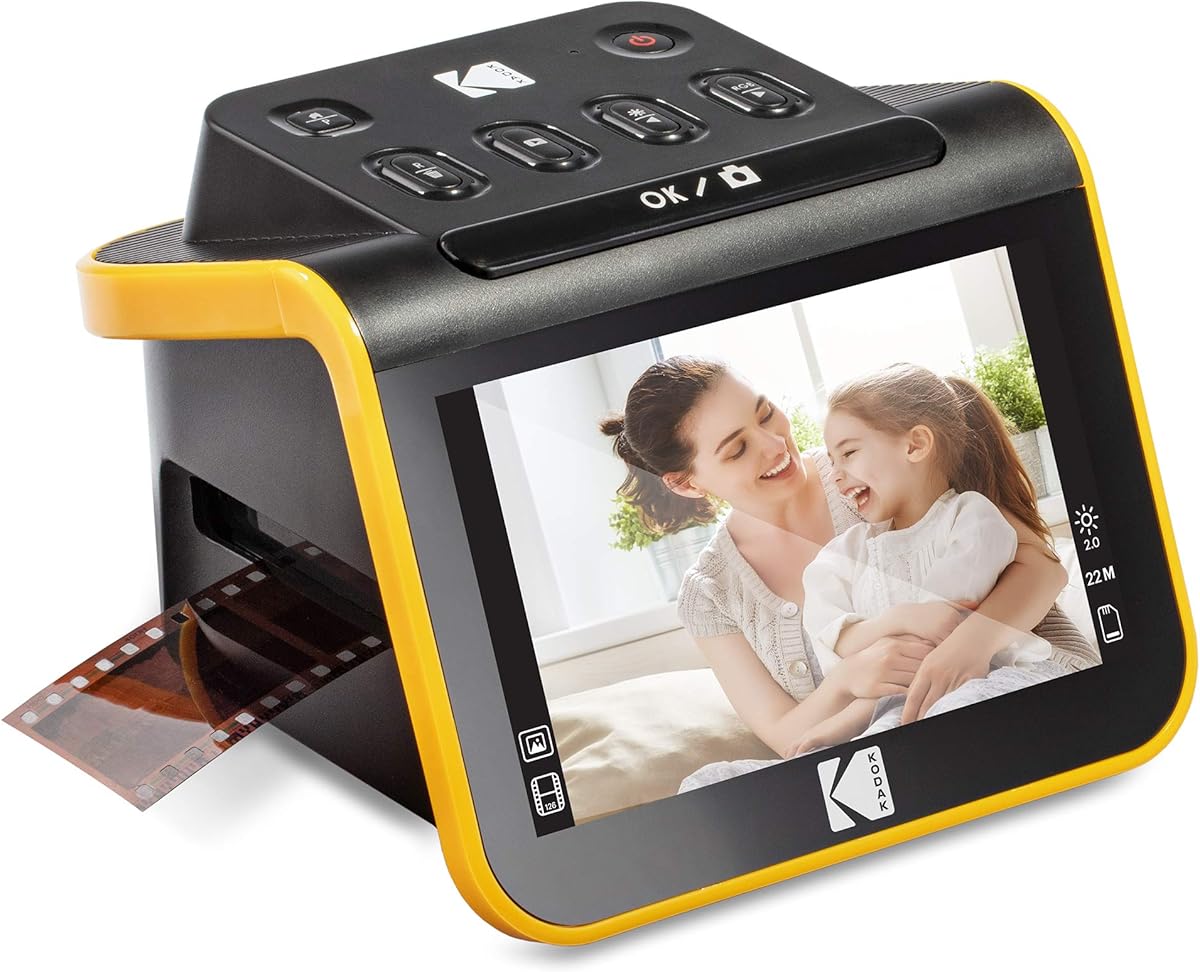
The KODAK Slide N Scan specializes in digitizing negatives and slides rather than prints. Its 4.3 rating reflects its effectiveness for film enthusiasts wanting a standalone scanning solution.
We may earn a commission when you buy through this link, at no additional cost to you.
You can preview scans on the 5-inch screen and edit colors on the fly. The device supports multiple film formats, making it versatile for mixed collections of old slides and negatives.
It is not suitable for standard paper photos, limiting its scope to specific media types. The LCD screen is small and may not show full detail compared to a computer monitor.
Choose this if your main goal is recovering film or slide memories. It simplifies the process of converting analog film to digital without needing extra hardware or software.
The large screen allows instant viewing of scans. You can adjust brightness and color immediately before saving.
Scans are saved directly to an SD card without a computer. This makes the process truly standalone and portable.
We may earn a commission when you buy through this link, at no additional cost to you.
The Pandigital Personal Scanner offers a simple way to convert photos without a computer. Its 4.2 rating indicates it is user-friendly for those wanting to avoid software complexity.
We may earn a commission when you buy through this link, at no additional cost to you.
You can scan directly to an SD card, making it easy to transfer images to a TV or photo frame. The built-in multi-card reader adds convenience for different storage formats.
The scanning process is slower and basic compared to modern USB models. It lacks advanced editing features, relying on simplicity rather than power for its core function.
This scanner is best for seniors or simple archiving needs. It provides a straightforward path to digital formats without needing technical skills or a PC setup.
You do not need to install drivers or connect to a PC. Just plug in and use the button to scan.
The SD card can be read by many modern TVs. This allows immediate display on home entertainment systems.
We may earn a commission when you buy through this link, at no additional cost to you.
The Epson Perfection V39 II is a standard flatbed scanner suitable for general photo and document digitization. Its 3.7 rating suggests room for improvement in speed and software experience.
We may earn a commission when you buy through this link, at no additional cost to you.
The high-rise lid allows you to scan items like books or photo albums without damage. This feature makes it more versatile than standard lids that press down on thick items.
Software tools are basic compared to newer models, offering limited editing capabilities. Scanning speeds are average, requiring patience for large batches or high-resolution tasks.
This model works well for mixed media including documents and photos. It offers a reliable solution for home users needing basic flatbed functionality with book scanning support.
The removable lid lets you place bulky items like books flat. This prevents damage to spines while scanning pages.
Simple buttons on the scanner simplify the start process. You can initiate scans without opening the full software.
We may earn a commission when you buy through this link, at no additional cost to you.
The Epson Perfection V850 Pro is the ultimate tool for professionals needing archival quality scans. Its 4.4 rating reflects its superior optical performance and robust build for demanding tasks.
We may earn a commission when you buy through this link, at no additional cost to you.
The dual lens system ensures optimum results for both reflective and transparent media. Digital ICE technology removes dust and scratches automatically, delivering pristine digital files ready for print.
It is a significant investment, which may be overkill for casual home users. The large physical size requires a dedicated workspace, but the quality justifies the space it takes.
Choose this if you handle film, slides, or high-end art reproduction. It offers unparalleled clarity and control for preserving important memories in the highest possible digital quality.
This feature removes dust and scratches from the scan automatically. It saves hours of manual retouching work for users.
The scanner selects the best lens for the item type. This ensures optimal detail for film and prints alike.
We may earn a commission when you buy through this link, at no additional cost to you.
The Epson Perfection V600 balances high resolution and versatility for both photos and film. With a 4.0 rating, it serves as a reliable middle ground for enthusiasts wanting detailed output.
We may earn a commission when you buy through this link, at no additional cost to you.
Its built-in transparency unit handles negatives and slides directly without extra attachments. The high resolution allows for large enlargements without losing clarity or detail in shadows.
The absence of wireless connectivity limits placement options to near the computer. Scanning times are reasonable but slower than automatic feeders, making it better for careful batches.
This scanner is perfect for mixed media tasks including prints and negatives. It offers strong performance for detailed restoration projects without the cost of top-tier professional models.
The built-in light box lets you scan slides directly. This simplifies the process of digitizing film without adapters.
LED technology eliminates warm-up time and saves power. You can start scanning immediately when you open the software.
We may earn a commission when you buy through this link, at no additional cost to you.
Selecting the right scanner depends on your budget, photo volume, and desired quality. Understanding key factors helps you avoid overspending on features you do not need.
Speed matters most if you have thousands of photos to digitize. Automatic feeders are much faster than flatbeds since they process multiple sheets at once. If you only have a few dozen, a slower flatbed is acceptable.
Prioritize high-speed models like the Epson FastFoto for large batches to save time.
Resolution determines the detail you capture, measured in dpi. For standard web use, 300 dpi is sufficient, but for enlargements aim for 4800 or 6400 dpi. Higher resolution ensures better quality when cropping later.
Look for models with at least 4800 dpi for archival purposes.
Ensure the scanner handles your specific formats like slides, negatives, or prints. Some models offer transparency units for film, while others focus on paper photos. Compatibility prevents the need for multiple devices.
Choose a scanner that supports both photos and any film types you own.
Built-in software often includes tools for color restoration and cropping. Advanced options help fix faded images without needing external tools. Good software saves time in the post-scan editing workflow.
Check if the scanner includes tools for repair and organization.
Modern scanners offer USB and wireless options. USB is reliable, but wireless provides flexibility in placement without cables. Consider if you need to scan directly to mobile devices or cloud storage.
Opt for wireless if you want to avoid cable clutter on your desk.
Prices range significantly from under one hundred to over one thousand dollars. Determine if your needs require professional specs or standard home features. Balancing cost and function ensures you pay only for what you need.
Set a realistic budget before comparing features to narrow down choices.
Flatbeds take up desk space, while some models have vertical storage. Compact scanners are ideal for small homes. Ensure you have enough room for the device and any required accessories.
Select a slim design if desk space is limited in your office.
Always clean your photos with a soft brush before scanning to remove dust. This prevents particles from damaging the glass or appearing in your digital output. Handle photos by the edges to avoid leaving fingerprints or oils.
For flatbeds, align photos carefully on the glass to ensure straight scans. Use the software preview to check positioning before starting the full scan. Batch feeders require flat photos without folds or staples to avoid jams.
Store your scanner in a cool dry place away from direct sunlight. Cover it when not in use to prevent dust buildup on the glass. Regular maintenance ensures consistent quality and extends the device life for years.
For standard digital viewing, 300 dpi is usually sufficient. If you plan to print enlargements, use at least 600 dpi or higher. For archival purposes, 1200 dpi ensures maximum detail retention.
Yes, duplex scanners like the Epson FastFoto can scan both sides automatically. If your scanner is single-sided, you must flip the photos manually to capture back information like notes.
Most USB scanners require drivers and software for operation. Some standalone models work without a computer. Always check system compatibility to ensure you can install the necessary tools on your device.
Many scanners include color restoration or Easy Photo Fix tools. These features adjust brightness and contrast to revive faded colors. You can also use external editing software for more detailed repairs.
High-end models with Wi-Fi support can save directly to cloud services. Others require you to scan to a computer first then upload. Check for cloud integration features if you want direct access.
Use folders named by date or event for easy navigation. Tagging software can help sort photos by faces or locations. Keeping a backup on an external drive protects against data loss.
The Epson FastFoto FF-680W leads for speed and ease of use for large families. Its automation makes it the best overall choice for preserving memories efficiently. The Canon CanoScan LiDE 400 offers the best value for budget-conscious buyers.
Consider your volume and budget when making your final decision. High volume needs benefit from feeders, while casual users can rely on flatbeds. Ensure your chosen model supports the specific formats you own.
Always verify current pricing and availability before purchasing. Technology changes quickly, so checking the latest model details is essential. Your photos deserve the right care, and the right scanner makes that process simple.