
Redragon K617 HE Wired Hall-Effect Rapid Trigger Magnetic Gaming Keyboard
4.3Editor score
Rapid Trigger Hall Effect switches
8000Hz hyper-polling rate
Compact 60% layout design
Discover the best keyboard for CS2 in 2026. This guide compares top Hall Effect and mechanical options for speed, precision, and competitive play.
Finding the right keyboard for CS2 can make a huge difference in your competitive performance. Players need fast response times, reliable switches, and layouts that support quick movements during intense matches.
We evaluated ten top models based on switch technology, polling rates, and build quality. This list covers options ranging from budget-friendly picks to premium esports boards designed for serious gamers.
Each pick highlights key features, pros, and cons to help you decide. Remember that prices and availability can change, so check current listings before making your final purchase decision.
4.3Editor score
4.4Editor score
4.5Editor score
This side-by-side comparison highlights the core specifications and features of each keyboard to help you find the perfect match for your CS2 gameplay style and budget.



The Redragon K617 HE offers an affordable entry into high-performance gaming keyboards. With a strong rating, it delivers essential features like Rapid Trigger and adjustable actuation for competitive play.
We may earn a commission when you buy through this link, at no additional cost to you.
Its Hall Effect magnetic switches provide fast response times without physical contact, ideal for quick stops and strafes in CS2. The driver software allows fine-tuning of trigger points to suit your exact style.
While the build is lighter than premium options, it remains functional for intense sessions. Some users may prefer more robust materials, but the performance per dollar is hard to beat.
This keyboard is perfect for budget-conscious gamers seeking modern tech. If you need rapid inputs without spending much, this is a reliable choice for CS2 and similar titles.
The 8000Hz polling rate ensures your inputs are registered almost instantly, giving you a slight edge in fast-paced matches.
You can adjust actuation from 0.1mm to 3.4mm, letting you tailor sensitivity for specific keys like movement or firing.
We may earn a commission when you buy through this link, at no additional cost to you.
This model adds a dedicated media knob for easy volume control while gaming. It shares the core Hall Effect tech with other Redragon options but refines the feel with better noise dampening.
We may earn a commission when you buy through this link, at no additional cost to you.
The UltraMag POM switches offer a smooth, silky bounce rather than a harsh clack. This reduces finger fatigue during long sessions, making it comfortable for extended CS2 matches.
The floating structure design helps minimize wobble, ensuring stable keystrokes. While it lacks premium materials, the focus on feel and sound sets it apart from cheaper alternatives.
Choose this if you value media convenience and a quieter typing experience. It balances performance with daily usability, fitting well into a mixed-use desk setup.
Adjust backlight brightness and media playback with one knob, saving you from memorizing complex key combos during play.
Multiple dampening layers create a softer sound, keeping your setup pleasant without distracting teammates or roommates.
We may earn a commission when you buy through this link, at no additional cost to you.
The K673 HE mirrors many features of the K686, providing a reliable experience for CS2 players. It emphasizes consistent input via magnetic switches and includes useful tuning tools.
We may earn a commission when you buy through this link, at no additional cost to you.
Its dual-module floating structure adds stability, preventing unwanted movement during rapid keystrokes. The noise dampening ensures a smoother sound profile for a focused gaming environment.
While slightly lower rated than others, it remains a strong contender for those wanting magnetic tech without high costs. The web driver makes setup accessible across different systems.
This keyboard suits players who want balanced performance. If you prioritize consistency and value, it delivers essential competitive features effectively.
Save multiple actuation profiles to keep your setup consistent across games, ensuring reliable performance whenever you switch titles.
The web-based driver means you do not need to install heavy software to calibrate your switches or adjust profiles.
We may earn a commission when you buy through this link, at no additional cost to you.
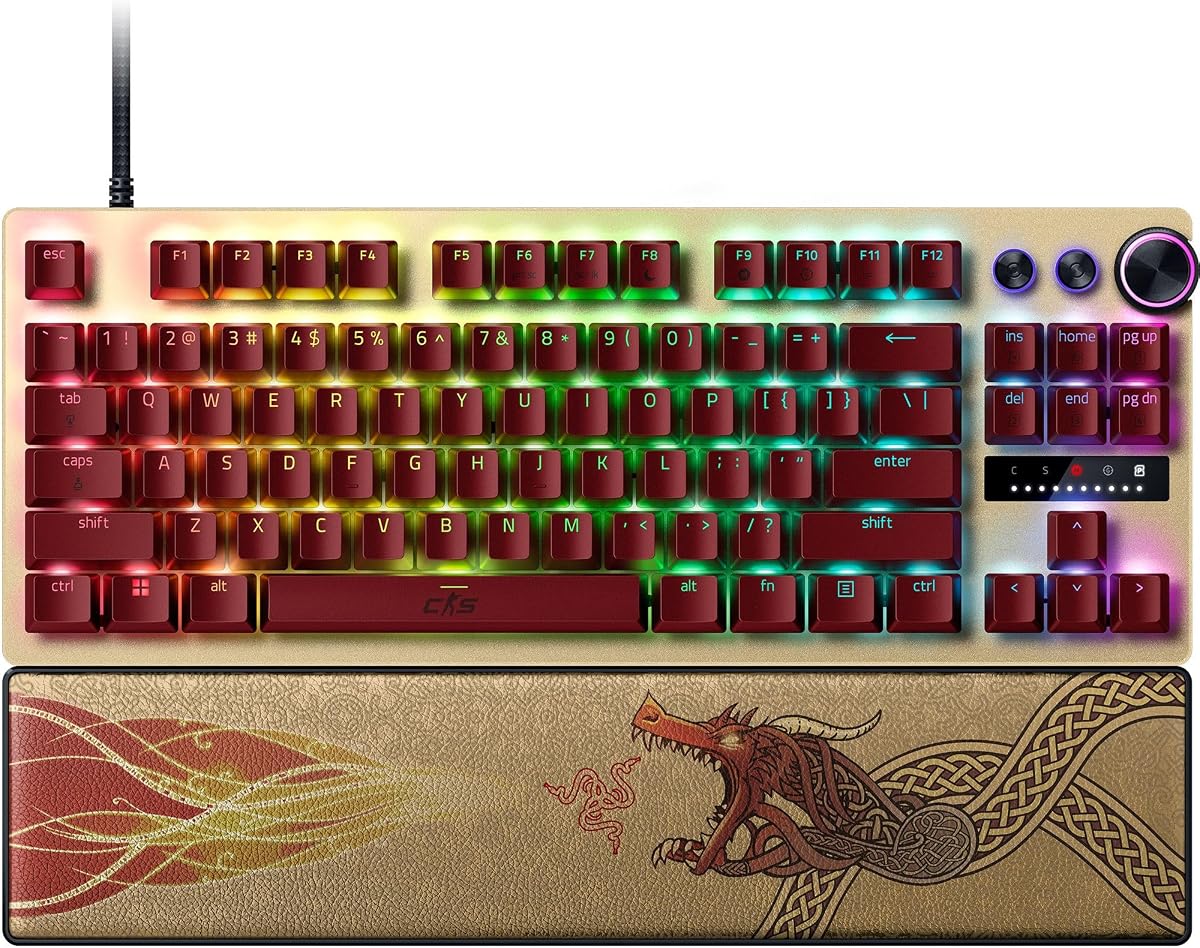
This keyboard is explicitly designed for CS2, offering features that pros rely on. It combines Rapid Trigger with Snap Tap to enable instant directional changes without releasing keys.
We may earn a commission when you buy through this link, at no additional cost to you.
The analog optical switches offer precise control over actuation points, ranging from 0.1mm to 4.0mm. You can adjust these settings on the fly using onboard LED arrays without needing software.
Textured PBT keycaps and a firm wrist rest add durability and comfort for long competitive sessions. However, the price is steep compared to similar magnetic keyboards.
Ideal for serious competitors wanting the best edge. If you need top-tier speed and brand trust, this model delivers professional-grade performance for CS2.
Snap Tap Mode prioritizes the latest input between two keys, allowing near-instant direction changes crucial for competitive FPS gameplay.
Make precise adjustments to actuation height and Rapid Trigger sensitivity directly on the keyboard using visual LED aids.
We may earn a commission when you buy through this link, at no additional cost to you.
The Clipper PRO MINI is built for pure performance in tight spaces. It features advanced SOCD processing for cleaner inputs and an IP57 rating to handle spills.
We may earn a commission when you buy through this link, at no additional cost to you.
Corsair's AXON hyper-processing ensures inputs are registered instantly at 8000Hz. The compact 60% layout maximizes desk space, allowing wider mouse movements for low-sensitivity aiming.
While lack of arrow keys may annoy some, the speed benefits outweigh this for many players. The white design looks clean but requires care to maintain appearance.
Choose this for maximum efficiency and durability. If you play CS2 exclusively and need quick reaction times, this board supports your setup effectively.
FlashTap SOCD enables sharper counter-strafing, ensuring your character stops instantly for accurate shooting in combat.
IP57 rating protects against water and dust, giving you peace of mind during intense gameplay sessions without worry of damage.
We may earn a commission when you buy through this link, at no additional cost to you.
This keyboard brings the Redragon Hall Effect tech with a focus on visual appeal. Its RGB lighting creates an immersive gaming vibe while delivering solid performance.
We may earn a commission when you buy through this link, at no additional cost to you.
Dual-module floating structure and noise dampening layers ensure smooth keystrokes and reduced sound. You can calibrate magnetic switches via software for consistent setups across titles.
The lower rating suggests some inconsistency in quality control or software experience. However, it still meets the core requirements for competitive gaming at a low price.
Best for those prioritizing looks and budget. If you need a fast keyboard for CS2 that looks great, this model offers good value.
Adjustable brightness and lighting modes bring your desk to life, enhancing the overall gaming atmosphere day or night.
Save multiple actuation profiles through the driver, ensuring your setup remains consistent across different game environments.
We may earn a commission when you buy through this link, at no additional cost to you.
This keypad is designed for streamers or gamers who need extra commands within reach without cluttering the main desk. It features Rapid Trigger for precise movement control.
We may earn a commission when you buy through this link, at no additional cost to you.
With 35 programmable keys, it handles complex macros or streamer functions efficiently. The web-based configurator simplifies setup on both Windows and macOS systems.
While not a standalone keyboard for typing, it complements a main board perfectly. The one-handed layout keeps essential commands close, reducing hand movement during sessions.
Perfect for power users or creators. If you need specialized shortcuts alongside CS2 gameplay, this adds functional depth to your rig.
Trigger OBS scenes or manage push-to-talk instantly with one hand, keeping focus on gameplay without navigating menus.
The web-based tool works on multiple systems, making it ideal if you switch between PCs or Macs regularly.
We may earn a commission when you buy through this link, at no additional cost to you.
A renewed version of the premium model, offering similar features at a lower cost. It retains the Snap Tap and Rapid Trigger capabilities essential for high-level play.
We may earn a commission when you buy through this link, at no additional cost to you.
The analog optical switches provide adjustable actuation up to 4.0mm, ensuring precision. Onboard LEDs help visualize settings without needing software installation for basic changes.
While it may lack the original packaging or warranty length, the core performance remains. Buyers should check condition ratings carefully before purchase to ensure satisfaction.
Good for budget-savvy gamers wanting premium features. If you trust refurbished items, this brings top-tier tech at a more accessible price point.
Renewed items often cost significantly less while maintaining the core functionality needed for competitive esports gaming.
Multi-function digital dial allows quick volume and switch settings adjustments right at your fingertips during gameplay.
We may earn a commission when you buy through this link, at no additional cost to you.
This model uses traditional membrane switches but adds useful macro keys and RGB zones. It is an entry-level choice for those new to gaming keyboards.
We may earn a commission when you buy through this link, at no additional cost to you.
Spill resistance and detachable palm rest add practical comfort for long hours. You can set up macros easily through iCUE software to automate complex keypresses.
While not as fast as magnetic or mechanical boards, it still serves basic gaming needs. It fits players who need durability and budget without advanced features.
Best for casual users or backups. If you want a reliable keyboard for general gaming, this offers good features for the price.
Assign specific colors to each lighting zone or program custom lighting effects using CORSAIR iCUE software for a personalized look.
Use instant streaming commands via Elgato Stream Deck software to manage content creation tasks without leaving the game.
We may earn a commission when you buy through this link, at no additional cost to you.
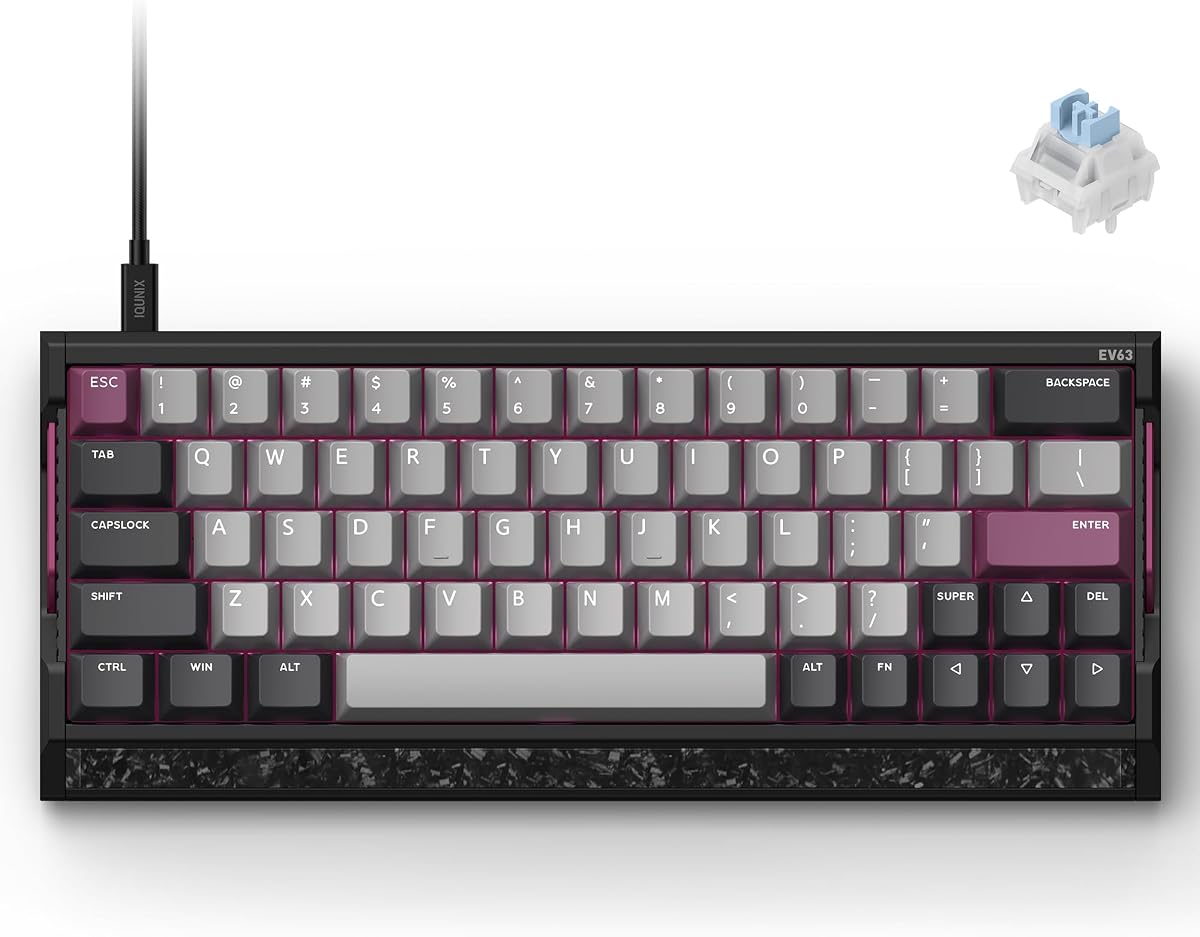
The EV63 stands out with its premium build featuring real forged carbon and aircraft-grade aluminum. It is designed for high-level FPS play with zero dead zones.
We may earn a commission when you buy through this link, at no additional cost to you.
The M.A.T. 2.0 algorithm checks keys in real time, reducing missed inputs and sticky behavior. This ensures clean stops and counter-strafes crucial for tactical shooters.
It also supports advanced tuning for SOCD and Rappy Snappy features. While it requires time to adjust to its custom 64-key layout, the performance is unmatched.
Ideal for enthusiasts seeking the best hardware. If you value precision and build quality over cost, this keyboard delivers a premium feel.
Magnetic Auto-Tune checks each key in real time, maintaining consistent sensing even during intense high-speed movement.
Forged carbon front plate and aluminum case reduce vibration, providing a solid feel that resists desk movement during play.
We may earn a commission when you buy through this link, at no additional cost to you.
Choosing the right keyboard depends on your budget, desk size, and specific needs. These factors will help you narrow down options for competitive play.
Magnetic Hall Effect switches allow adjustable actuation and Rapid Trigger, providing the fastest response for competitive games. Mechanical switches offer tactile feedback but lack the same speed customization.
Look for adjustable actuation points to fine-tune sensitivity for different actions like movement versus shooting.
A high polling rate like 8000Hz ensures your inputs are sent to the PC almost instantly. This reduces latency and helps with timing-sensitive shots or strafe jumps.
Prioritize keyboards with at least 1000Hz, but 8000Hz is best for serious competitive players.
60% or TKL layouts save desk space, allowing wider mouse movements essential for low-sensitivity aiming. Full-size boards include a numpad but reduce room for mouse swipes.
Choose a compact layout if you play CS2 on a standard desk and need space for large mouse pads.
Drivers allow you to save profiles and adjust settings like actuation height without reinstalling. Onboard memory ensures your preferences stay even if you switch computers.
Ensure the keyboard supports web-based or easy-to-use software for quick adjustments.
Materials like aluminum or plastic affect stability and weight. A heavier board reduces vibration while moving, offering a more consistent experience during intense sessions.
Look for durable keycaps such as PBT to prevent shine and wear over time.
Features like media knobs, dedicated macro keys, or wrist rests enhance daily usability. These add convenience without compromising core gaming performance.
Consider these extras if you use your keyboard for both work and gaming.
Prices range widely from affordable entry models to premium boards. Decide how much you are willing to spend based on how critical speed is to your gameplay.
Balance cost with features to find a model that meets your needs without overspending.
Reliable brands offer solid warranties to protect your investment. Good customer support can resolve issues quickly if something goes wrong with your keyboard.
Check warranty terms before buying to ensure peace of mind during your purchase.
Always update your keyboard drivers and firmware regularly to ensure optimal performance. Check manufacturer websites for patches that improve latency or add new features.
Clean your keyboard gently with compressed air or a soft brush to remove dust from switches. For magnetic models, avoid disassembling the switches unless necessary.
Calibrate your actuation points after installing new software to maintain consistency. This ensures that your trigger thresholds remain accurate across multiple gaming sessions.
Rapid Trigger lets keys reset instantly when you lift your finger, enabling quicker directional changes without fully releasing the key. This is vital for CS2 where fast stops and strafes determine accuracy.
Magnetic switches offer adjustable actuation and faster reset points than mechanical ones. This customization allows players to tune response for different actions, giving a competitive edge.
No, most pro players prefer TKL or 60% layouts to save desk space. Compact boards allow larger mouse movements, which is essential for low-sensitivity aiming in FPS games.
A high polling rate like 8000Hz reduces input delay, ensuring your actions reach the game instantly. This helps with timing and responsiveness in fast-paced matches.
Many keyboards offer Windows and macOS compatibility. However, driver features might vary, so check product specs for web-based configurators or cross-platform support.
Focus on essential features like Rapid Trigger and 8000Hz polling rather than extra RGB or macros. A compact layout and durable switches are more important than cosmetic elements.
The top picks offer a mix of affordability and premium performance. Each option brings unique strengths to help you improve your accuracy and speed.
Prioritize features like Rapid Trigger and polling rate if competitive edge matters most. Build quality and comfort become key if you play for many hours daily.
Prices change regularly, so check current listings before making your final decision. Finding the right tool can elevate your gameplay significantly in any competitive title.