
MT-ViKI 4K HDMI Splitter
4.4Editor score
Power adapter included
4K@30Hz support
Metal housing design
This guide compares the top HDMI splitters and switches for 2026 to help you choose the right device for your home theater or office setup.
Choosing the right HDMI splitter can transform your entertainment experience by allowing multiple displays to share a single source. Whether you need to mirror a presentation or split a gaming console signal, the right device ensures crisp visuals and reliable performance across all screens.
We evaluated ten top-rated HDMI splitters and switches based on resolution support, build quality, and ease of use. Our comparison focuses on models that deliver stable 4K output and seamless compatibility with modern gaming consoles and streaming devices for optimal user satisfaction.
Each pick highlights specific strengths like port count, refresh rates, and durability. Note that prices and availability can change frequently so check current listings before purchasing. This guide helps you navigate the options to find the perfect solution for your specific connection needs today.
4.4Editor score

4.5Editor score

4.3Editor score
This table provides a side-by-side look at the key features of each HDMI splitter and switch in our lineup. Review the specifications to find the model that best matches your display count and resolution requirements for your setup.




The OREI UltraHD 1×4 HDMI Splitter stands out as the top choice for users needing reliable multi-display distribution. With a strong rating of 4.5 stars it delivers consistent 4K video quality across four screens simultaneously. This unit is built to handle modern streaming and gaming demands with ease.
We may earn a commission when you buy through this link, at no additional cost to you.
Its support for up to 4K@60Hz ensures that high-resolution content looks crisp and smooth on every connected display. The 18Gbps bandwidth capability matches HDMI 2.0 standards allowing for rich color and deep detail in your media. It also handles advanced audio formats like Dolby TrueHD and DTS-HD Master Audio seamlessly.
One trade-off is that this splitter mirrors signals rather than extending desktops across monitors. While not suitable for dual monitor setups it excels at presentations and home theater configurations. The metal enclosure helps manage heat effectively ensuring stable operation even during extended use sessions.
This device is perfect for retail displays classrooms or home setups where identical content must appear on multiple screens. If you need a robust solution that prioritizes visual fidelity and reliability this model offers excellent value. Its plug-and-play nature makes installation straightforward for any tech skill level.
The 18Gbps bandwidth allows for full 4K resolution at 60Hz ensuring that fast-moving visuals remain sharp and fluid without pixelation.
With support for LPCM and DTS formats the splitter preserves high-quality sound output across all connected audio systems.
We may earn a commission when you buy through this link, at no additional cost to you.
The MT-ViKI 4K HDMI Splitter offers an affordable entry point for those needing to split one signal into four identical outputs. Rated 4.4 stars it provides reliable performance for basic home theater or commercial display needs without breaking the budget. It is a solid choice for static content distribution tasks.
We may earn a commission when you buy through this link, at no additional cost to you.
While it supports 4K@30Hz rather than 60Hz it still delivers sharp visuals for movies and presentations. The inclusion of a dedicated power adapter ensures consistent signal transmission even over longer cable runs. The rugged metal housing provides excellent protection against heat and electromagnetic interference during operation.
Users should note that this device operates only in mirror mode so it cannot extend desktops across multiple monitors. This limitation is acceptable for TVs where the same content must be shown on multiple screens simultaneously. The device works well with standard gaming consoles and streaming media players.
If you are looking for a cost-effective solution for classrooms or retail displays this model fits the bill. Its durable construction and reliable power supply make it suitable for 24/7 environments. It is an excellent option for users who prioritize stability over high refresh rates.
Unlike USB-powered units this splitter uses a dedicated AC adapter to prevent flickering and maintain stable signal quality over distance.
The metal casing acts as a heat sink keeping the unit cool during extended use to ensure long-term reliability.
We may earn a commission when you buy through this link, at no additional cost to you.
The UGREEN HDMI Switch allows you to connect five different gaming consoles or media devices to a single TV input. With a rating of 4.3 stars it handles high-bandwidth signals like 4K@60Hz with ease. This premium switch is ideal for gamers who want easy access to multiple consoles without constant cable swapping.
We may earn a commission when you buy through this link, at no additional cost to you.
It supports advanced features like HDR and VRR ensuring that gameplay looks vibrant and responsive. The included remote control lets you switch between devices from your couch adding significant convenience to your setup. The USB-powered design ensures stable video transmission without needing a bulky wall adapter nearby.
One limitation is that it does not support automatic switching so you must select the input manually. Additionally the power cable is included but the adapter is not so ensure you have a USB port available. Despite these minor points the build quality and performance justify its premium positioning.
This switch is perfect for home theaters or gaming rooms with multiple consoles and laptops. The manual switch buttons on the device provide a quick backup if the remote fails. If you need a robust hub for high-performance devices this model delivers the reliability you need for smooth gaming.
Compatible with PS5 Xbox Switch and PC laptops it serves as a central hub for all your entertainment sources effortlessly.
With 18Gbps bandwidth and HDMI 2.0 support it handles high-speed data without dropping frames or losing quality.
We may earn a commission when you buy through this link, at no additional cost to you.
The OREI HDMI Splitter 1 in 2 Out is a straightforward device designed to mirror a signal to two displays. Rated 4.4 stars it is reliable for sharing content with a guest screen or secondary monitor. It includes a power adapter to ensure consistent signal strength across both outputs.
We may earn a commission when you buy through this link, at no additional cost to you.
It supports 4K@30Hz and maintains compatibility with HDCP 1.4 standards for protected content playback. The heavy-duty metal enclosure helps protect internal components from overheating and physical damage. This makes it a durable choice for environments where it might be handled frequently.
Users should note that this device does not support HDCP 2.0 which limits it to older Blu-ray discs or non-4K content. Additionally the cable length is recommended to be under 30 feet for optimal quality. For basic mirroring tasks these constraints are usually not an issue.
This model is ideal for home offices or living rooms where a laptop or console needs to be seen on two screens. Its compact size allows it to sit discreetly behind a TV or monitor. If you need a simple and affordable way to double your display output this splitter is a solid option.
The metal casing ensures the device stays cool during operation which is essential for maintaining signal stability.
Plug in the power and connect your HDMI cables to start duplicating your display immediately without complex setup steps.
We may earn a commission when you buy through this link, at no additional cost to you.
The Anker HDMI Switch provides four inputs for connecting various media players to one TV screen. Rated 4.3 stars it offers 4K@60Hz quality ensuring that your content looks sharp and fluid. The included remote makes it easy to toggle between devices without leaving your seat.
We may earn a commission when you buy through this link, at no additional cost to you.
Anker is known for reliable tech and this switcher continues that tradition with stable signal delivery. It supports 4K HDR content which is great for streaming services and modern game consoles. The USB-powered design keeps setup simple without needing an extra power outlet.
One downside is the lack of HDMI CEC support which means automatic input switching won't work. You must use the remote or buttons to change inputs manually. However this manual control can be a benefit if you want to prevent unexpected switching during play.
This switch is excellent for homes with multiple consoles or streaming sticks needing a single HDMI port. The 18-month warranty adds peace of mind for long-term use. If you prioritize build quality and reliable 4K performance this model is a strong contender for your setup.
4K@60Hz support ensures that movies and games look detailed and smooth on your display for an immersive experience.
The remote control and simple USB power make it easy to install and use for any household setup.
We may earn a commission when you buy through this link, at no additional cost to you.
The avedio links HDMI Splitter is designed to mirror a single source to two displays at 4K@60Hz. With a rating of 4.1 stars it is a solid choice for presentations where you need the same content on a projector and a monitor. It includes a 4ft HDMI cable to get you started immediately.
We may earn a commission when you buy through this link, at no additional cost to you.
It features an auto down scaler which allows it to output mixed resolutions to different screens. This is useful when connecting a 4K TV and a 1080p monitor simultaneously without manual configuration. The device supports deep color up to 36-bit for vibrant image quality.
Users should be aware that it does not support ARC or CEC features which limits audio and smart TV control options. This means you will need a separate audio extractor if you want to route sound externally. For visual mirroring however it performs quite well for the price.
This splitter is great for classrooms or conference rooms where a teacher needs to display slides on multiple screens. The included cable and power adapter make it a complete solution out of the box. If you need a cost-effective way to duplicate high-resolution video this unit is a good choice.
The ability to auto-downscale allows you to connect different types of displays without worrying about resolution mismatches.
Having a HDMI cable included with the splitter makes setup faster and more convenient for immediate use.
We may earn a commission when you buy through this link, at no additional cost to you.
The GANA Bidirectional HDMI Switch allows you to switch between two inputs on one display or one source on two displays. Rated 4.3 stars it supports 4K@60Hz for crisp visuals during gaming or movie watching. Its aluminum housing ensures efficient heat dissipation during operation.
We may earn a commission when you buy through this link, at no additional cost to you.
One of its biggest strengths is that it requires no external power which simplifies your cable management. You simply press the button on the device to toggle between your sources. This makes it very easy to use for people who want a straightforward solution without extra adapters.
It supports only one display at a time so you cannot extend your desktop to multiple screens. This limitation is fine for TV users but might be restrictive for PC users needing multiple monitors. The switch is compatible with most standard HDMI devices including consoles and laptops.
If you need a simple way to switch between a laptop and a game console on one TV this model is ideal. The aluminum build is durable and looks professional. Given its low cost and ease of use it is a great entry-level switch for home entertainment.
By not needing external power it reduces cable clutter and makes it easier to fit behind a TV.
The aluminum construction helps keep the unit cool which extends the lifespan of the internal components.
We may earn a commission when you buy through this link, at no additional cost to you.
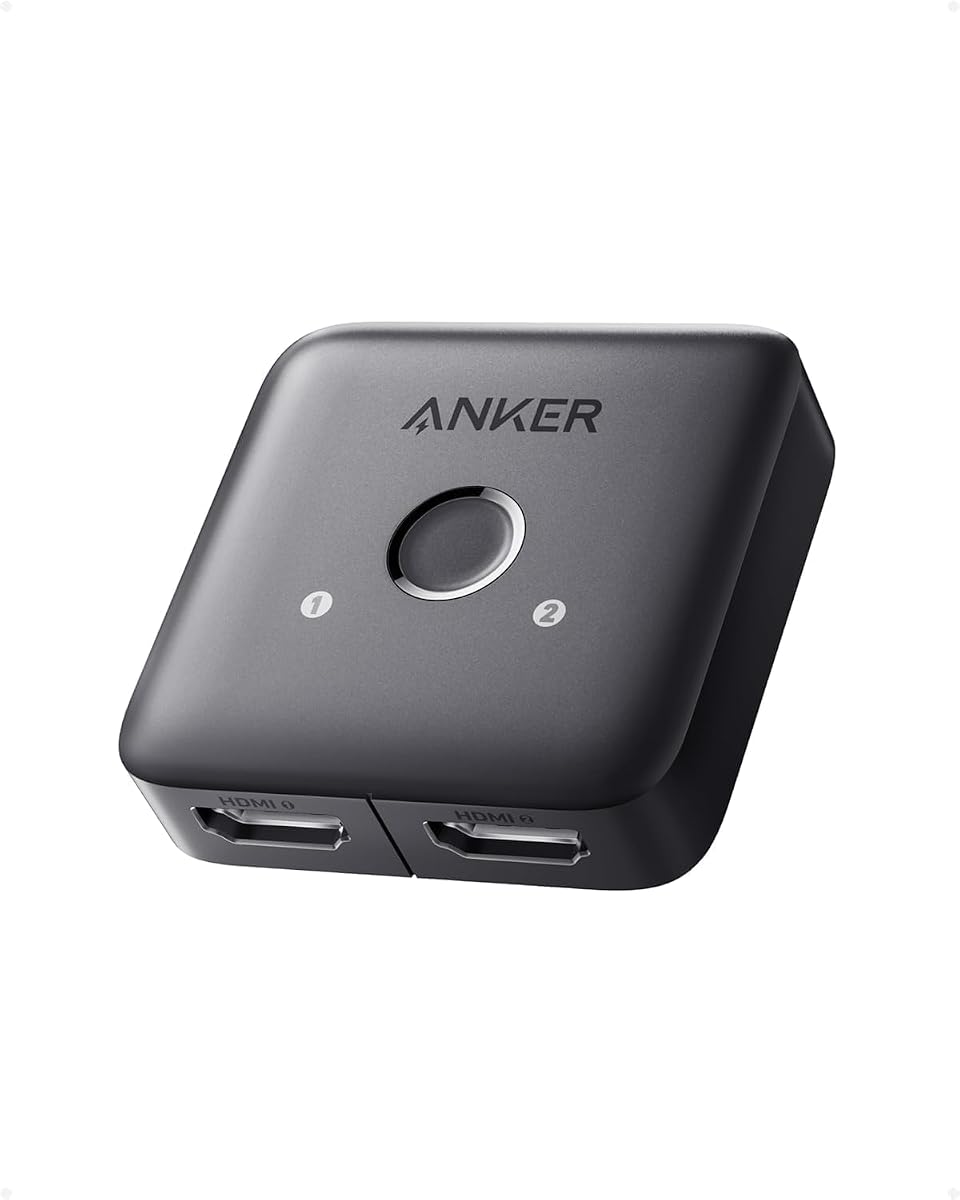
The Anker 2 in 1 Out HDMI Switcher lets you connect two devices to a monitor using a simple button press. Rated 4.4 stars it delivers 4K@60Hz quality for sharp and clear visuals. Its compact design ensures it does not add much bulk to your desk setup.
We may earn a commission when you buy through this link, at no additional cost to you.
It supports manual switching meaning you can choose your source instantly without waiting for auto-detection. This is helpful if you have multiple active devices connected at once and want to avoid lag. The build quality is typical of Anker with reliable connections and good durability.
Users should note that it does not support CEC or automatic signal detection so you must use the button manually. This might take a second more but provides consistent control over your inputs. It supports one display at a time so it is not for extended monitors.
This switch is perfect for small home offices with a laptop and a media box. The 18-month warranty adds value to the purchase ensuring you have support if issues arise. If you need a reliable way to switch inputs on a monitor this model is a solid choice.
The manual button allows you to switch inputs quickly which is great for moving between work and media tasks.
4K@60Hz support ensures that your content looks great on modern high-resolution monitors without any compromise.
We may earn a commission when you buy through this link, at no additional cost to you.
The WARRKY Bidirectional Switch offers a convenient fixed HDMI cable pigtail which saves you from buying a separate cable. Rated 4.4 stars it supports up to 4K@60Hz and is compatible with HDCP 2.2 for protected content. The aluminum shell ensures good heat dissipation for stable performance.
We may earn a commission when you buy through this link, at no additional cost to you.
It supports high bandwidth transmission with a gold-plated connector to reduce interference. The fixed design avoids issues with loose connections which is great for reliability. It is also compatible with high refresh rates up to 144Hz for 2K content making it great for PC gaming.
The downside is that the fixed cable length might not suit every setup so placement is important. If you need a longer cable to reach your display this might be a limitation. However the gold-plated connectors and thick wire ensure the signal stays strong over distance.
This switch is ideal for users who want a quick solution with fewer cables to manage. The HDCP 2.2 support ensures you can play modern games and movies without errors. If you value build quality and convenience this model is a great choice for your home theater.
The fixed cable and aluminum shell ensure that the connection remains stable and free from interference over time.
Support for 144Hz on 2K content makes this switch a strong option for gamers needing smooth motion.
We may earn a commission when you buy through this link, at no additional cost to you.
The OREI UltraHD 1×4 Splitter V2 is built for professional setups requiring stable signal distribution across four screens. Rated 4.2 stars it supports 4K@60Hz with HDCP 2.0 for protected content. The metal build ensures long-term reliability in demanding environments like offices.
We may earn a commission when you buy through this link, at no additional cost to you.
It includes EDID control which allows you to manage resolution compatibility across different displays. This feature is essential when you have a mix of monitors with different capabilities. The full audio support ensures that sound is distributed correctly along with the video signal.
One note is that this device is not for extended displays so it duplicates rather than extends your desktop. This makes it perfect for retail or conference settings where identical information is needed on multiple screens. The plug-and-play setup makes installation straightforward.
This model is ideal for business users who need consistent high-resolution output across multiple monitors. The included power supply ensures stable operation. If you need a professional tool for presentations or retail this splitter provides the stability and features you require.
The metal build and EDID control ensure reliable operation even in commercial environments with mixed display setups.
Full audio support ensures sound matches video across all screens making it perfect for synchronized presentations.
We may earn a commission when you buy through this link, at no additional cost to you.
Selecting the right HDMI splitter or switch depends on your specific setup needs and the devices you own. Consider these factors to ensure you get the best performance for your home theater or office.
Check if the device supports your desired resolution like 4K@60Hz or 1080p@60Hz. Higher refresh rates are important for gaming while lower rates may suffice for movies or static displays. Ensure the bandwidth meets HDMI 2.0 standards for full 4K performance.
Prioritize models that support 4K@60Hz and 18Gbps bandwidth for modern TVs and gaming consoles.
Decide whether you need a splitter to send one source to many screens or a switch to send many sources to one screen. Splitters are for mirroring while switches let you toggle between devices like consoles and PCs. Ensure the port count matches your current and future needs.
Choose a switch if you have multiple consoles and a splitter if you want one screen on multiple TVs.
Some devices use USB power which simplifies setup while others require a dedicated power adapter for stability. If you plan to use long cables a powered unit is more reliable to prevent signal loss. Check if the adapter is included before purchasing.
Look for models with a dedicated power adapter if you need stable performance over longer distances.
HDCP 2.2 is required for streaming 4K content from devices like 4K Blu-rays or streaming sticks. Ensure the device supports the HDCP version of your source devices to avoid black screens. Older splitters might only support 1.4 which limits high-quality content.
Ensure the device supports HDCP 2.2 to unlock 4K protected content from modern streaming boxes.
Metal housings dissipate heat better than plastic cases which is vital for long-term reliability. A well-built enclosure also protects internal components from electromagnetic interference. This can reduce issues with signal flickering or dropping over time.
Choose a device with a metal build for better heat management and durability.
Manual buttons on a device are simple but a remote allows you to switch inputs from a distance. This is useful for living rooms where you want to avoid walking to the device to change sources. Check if a remote is included in the package.
Prioritize models with a remote control if you value convenience during movie nights.
Some kits include an HDMI cable which can save you from buying a separate one. Others do not include cables so you must verify the length and type needed for your setup. This can affect the total cost and setup time of your installation.
Check if an HDMI cable is included to simplify your installation process.
Reputable brands offer warranties ranging from one year to longer periods for peace of mind. Good customer support helps resolve issues quickly if the device fails to work as expected. Look for companies known for reliable after-sales service.
Choose a model with a solid warranty and responsive customer service for added security.
Connect your HDMI source like a console or laptop to the input port on the splitter or switch. Ensure the cable is firmly seated to avoid loose connections which can cause flickering on the screen.
Plug the output cables from the device to your TVs or monitors making sure each is connected securely. If your device requires external power plug it into a USB port or wall adapter to ensure stable signal transmission.
Keep the device in a well-ventilated area to prevent overheating especially if it lacks a fan. Periodically check the cables for damage to maintain optimal performance over the long term.
No HDMI splitters duplicate the same signal to multiple displays so they cannot extend a desktop. You would need a separate graphics card or dock that supports independent displays for extending your screen.
A splitter takes one input and sends it to multiple outputs while a switch takes multiple inputs and sends one to a single display. Choose a splitter for multiple TVs and a switch for multiple consoles.
Not all splitters need a power adapter but models with more outputs or higher bandwidth often do. Powered units ensure stable signals over long cables while passive ones are better for short runs.
This usually means the splitter does not support HDCP 2.2 or 4K@60Hz. Check your device specs to ensure it supports the required protection and resolution for your content source.
Flickering often comes from a loose connection or insufficient power. Try reconnecting cables or using a powered unit with a dedicated power adapter to stabilize the signal.
Yes most modern splitters work with consoles but ensure they support 4K@60Hz and HDR if your console does. Check for HDCP 2.2 support to avoid content restrictions on new titles.
We reviewed ten top HDMI splitters and switches to help you find the perfect solution for your setup. Whether you need a compact switch for consoles or a powerful splitter for multiple TVs our list covers the best options available.
Prioritize resolution support and build quality when making your decision to ensure long-term reliability and performance. Choose a model that matches your specific needs like HDCP compliance and power requirements for best results.
Remember that prices can change so check current listings to get the best deal available today. With the right device you can enjoy seamless high-quality video distribution across all your screens with ease.