
Antec C8 Wood Full-Tower E-ATX PC Case
4.8Editor score
Wooden Front Panel Design
Supports 360mm Radiators
Dual Chamber Layout
This guide compares the top E ATX cases for large motherboards, highlighting airflow, storage, and build quality to help you choose the perfect chassis for
Finding the right chassis for your massive motherboard is crucial for performance and longevity. E ATX cases offer the space needed for high-end components and superior cooling solutions.
We evaluated ten top-rated models based on airflow, storage capacity, and build quality. Each option was chosen for its ability to support large form factors while maintaining aesthetic appeal.
Each pick highlights specific strengths like vertical GPU mounting or extensive drive bays. Prices fluctuate often, so verify current deals before finalizing your purchase decision today.
4.8Editor score

4.8Editor score

4.7Editor score
This side-by-side comparison highlights key specifications across all ten models to help you quickly identify the best fit for your specific build requirements and budget constraints.

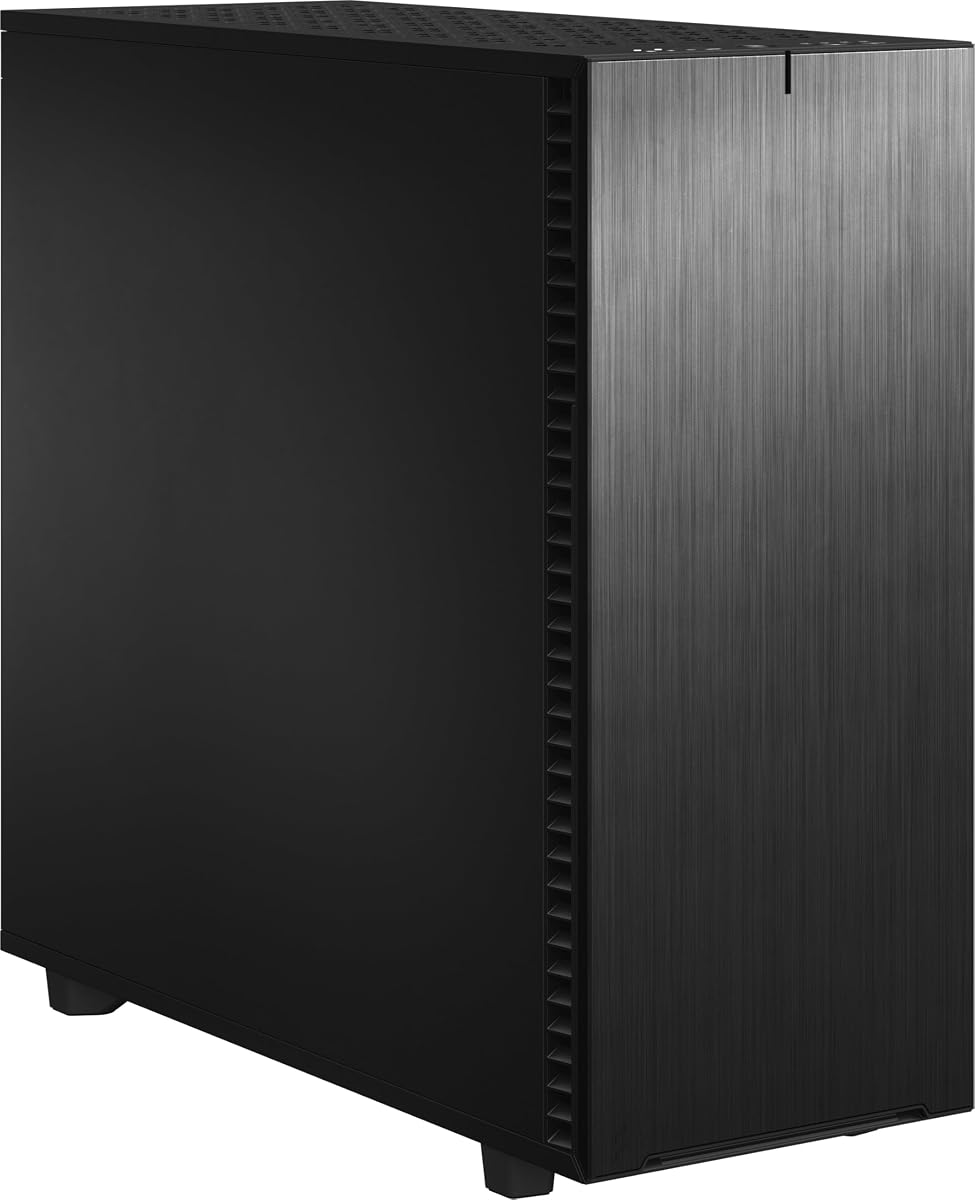


The DARKROCK Classico Max stands out for users needing extreme storage capacity with support for up to thirteen hard drives. It earns a solid rating for its unique ability to combine high-end gaming features with server-like storage options.
We may earn a commission when you buy through this link, at no additional cost to you.
Its standout feature is the vertical GPU mount which uses front and rear fans to create parallel air ducts for superior heat dissipation. The mesh panels maintain lower temperatures even under high-power hardware loads effectively.
While impressive, installing an E-ATX motherboard requires removing hard drive cages which adds complexity. The sheer size also means it demands a significant amount of desk space in your setup.
This case is ideal for data-heavy enthusiasts or workstation builders who need room for multiple drives and GPUs. It delivers exceptional functionality for those prioritizing storage over compact aesthetics.
With slots for ten HDDs and three SSDs, this case solves storage shortages permanently.
The vertical mounting option enhances airflow and provides a unique visual display for your GPU.
We may earn a commission when you buy through this link, at no additional cost to you.
The Fractal Design Define 7 XL is a masterpiece of modular design offering expansive internal layouts for large motherboards and extreme storage needs. Its solid construction and refined aesthetics make it a top contender for premium builds.
We may earn a commission when you buy through this link, at no additional cost to you.
It supports SSI-EEB boards and can hold up to eighteen HDDs alongside five SSDs in the default storage layout. Converting to an open layout provides ample room for custom water loops with radiators up to 480 mm.
The premium price and massive size might be overkill for standard gaming PCs. However, the brushed aluminum front and magnetic latching hinges justify the cost for enthusiasts seeking silent and spacious cases.
Choose this case if you need a silent workstation or server with future-proof cooling and storage capabilities. It offers unmatched versatility for professional and high-end personal systems.
Designed for silence, it features sound dampening materials and excellent airflow management.
Multi-brackets allow you to convert any fan position into storage or pump mounts easily.
We may earn a commission when you buy through this link, at no additional cost to you.
The JONSBO N5 combines home server functionality with an elegant solid wood veneer finish that fits well in living spaces. It is specifically designed to support up to twelve hard drives and four graphics cards for powerful setups.
We may earn a commission when you buy through this link, at no additional cost to you.
Its 12 hotswap HDD bays and 4 SSD side bays allow for massive storage expansion without needing external enclosures. The one-piece top cover makes installation easy and facilitates quick access to internal components.
Note that PSU length affects front drive slot availability which requires careful planning during assembly. The case supports E-ATX motherboards but has strict GPU length limits around 350 mm depending on other components.
This is the perfect choice for network storage enthusiasts who value aesthetics and performance equally. It bridges the gap between a quiet home server and a high-performance gaming workstation.
Hotswap drive bays make swapping storage drives effortless without powering down the system.
North American black walnut veneer gives it a sophisticated look unlike typical steel cases.
We may earn a commission when you buy through this link, at no additional cost to you.
The ASUS TUF Gaming GT501 delivers robust protection with its metal chassis and custom TUF spatter pattern. It earns high praise for its tempered glass side panel and included RGB fans that enhance the visual appeal significantly.
We may earn a commission when you buy through this link, at no additional cost to you.
Cooling is excellent with support for 360mm radiators on the top or front alongside seven optional fan mounting points. The ergonomic woven-cotton carry handles make transporting this heavy case much easier than standard models.
The glass panel is stunning but may attract fingerprints requiring frequent cleaning to look its best. Weight is another factor since it is built for durability which adds to the overall mass significantly.
Ideal for gamers who want a tough case with style and strong airflow options out of the box. It balances build quality and aesthetics perfectly for high-performance desktop systems.
Military-grade construction ensures the chassis withstands transport and everyday wear and tear.
Pre-installed Aura Sync fans simplify lighting setup without extra purchases or complex wiring.
We may earn a commission when you buy through this link, at no additional cost to you.
The Antec Flux Pro stands out with its unique combination of metal glass and wood textures for a high-quality look. It includes six PWM fans right out of the box ensuring you have everything needed for optimal cooling immediately.
We may earn a commission when you buy through this link, at no additional cost to you.
Its innovative iShift PSU mount and CPU/GPU dual temperature display add a layer of monitoring convenience. The design allows simultaneous installation of a 420mm radiator plus a 360mm radiator for extreme cooling setups.
The multi-directional vent design maximizes airflow but the removable brackets can be tricky to reattach properly. Wood accents provide a nice contrast but require careful handling to avoid scratches or wear over time.
This case is perfect for enthusiasts who want maximum cooling potential without buying extra fans separately. It offers a distinctive aesthetic and powerful thermal performance for demanding applications.
Six fans cover front top rear and shroud positions for a complete cooling solution.
The ability to fit two large radiators simultaneously is rare in consumer cases.
We may earn a commission when you buy through this link, at no additional cost to you.
The NZXT H5 Flow is designed for efficient airflow with ultra-fine mesh on the top front and side panels. It offers a compact footprint without sacrificing performance making it ideal for smaller desks with powerful components.
We may earn a commission when you buy through this link, at no additional cost to you.
Its PSU shroud is perforated to enable optimal air intake from additional fans enhancing cooling efficiency significantly. The case supports large radiators like 360mm on the front and 240mm on the top for liquid cooling potential.
Cable management is seamless with wide channels and hooks to conceal wires neatly inside the chassis. While compact it may limit storage drive options compared to larger full tower models for users needing space.
Perfect for builders prioritizing airflow and space efficiency in a mid-tower form factor. It delivers solid out-of-the-box performance with quiet fans and effective thermal management.
Mesh panels ensure unrestricted airflow for cooling high-end components effectively.
Wide channels simplify routing even thick cables keeping the interior clean and organized.
We may earn a commission when you buy through this link, at no additional cost to you.
The Antec 900 is built specifically for AI workstations supporting massive motherboards and up to two GPUs. It features a 5.0 rating for its exceptional airflow path and support for extreme radiator cooling setups.
We may earn a commission when you buy through this link, at no additional cost to you.
Its interior fits GPUs up to 495mm long and supports 420mm radiators for unmatched thermal headroom. Nine drive bays provide ample space for large datasets while USB Type-C 3.2 Gen 2 ensures fast connectivity.
The size and cost are significant but justified for professional workloads needing high-end CPU and GPU support. Tool-free access and full dust filtration make maintenance easy and efficient for daily use.
Ideal for creators and engineers needing a reliable chassis for Threadripper or Back-Connect boards. It offers robust cooling and storage for the most demanding professional computing tasks.
Supports SSI-EEB boards making it suitable for enterprise-level computing workloads.
USB-C 3.2 Gen 2 port allows rapid data transfer speeds for external drives.
We may earn a commission when you buy through this link, at no additional cost to you.
The Antec C8 Wood blends exotic wood veneer with tempered glass to create a seamless modern aesthetic. It features a dual chamber design that separates components effectively to improve overall airflow and heat management.
We may earn a commission when you buy through this link, at no additional cost to you.
Space allows for three 140mm fans or two 160mm fans on the top and bottom for versatile cooling options. The bottom cut-out with interchangeable brackets gives you total control over intake fan placement and size.
Since no fans are included you must purchase them separately which adds to the total system cost. The wood panel requires gentle cleaning to avoid damage but looks exceptional in living room setups.
Choose this for a unique look that stands out from standard black or white cases. It offers high customization potential for those willing to invest in additional cooling components.
Separating hot and cold zones helps maintain stable temperatures for all hardware components.
Real wood paneling adds a touch of natural luxury to your gaming or office desk.
We may earn a commission when you buy through this link, at no additional cost to you.
The ASUS ProArt PA602 offers superior airflow with a high porosity front panel and massive intake fans. It is built to support robust cooling solutions including 420mm radiators for sustained high-performance rendering tasks.
We may earn a commission when you buy through this link, at no additional cost to you.
Its front panel IR dust indicator reminds you when to clean the filter maintaining top-tier airflow over time. Deflectors optimize internal air paths while the built-in fan hub simplifies managing multiple fans without extra hardware.
The price is high but justified for professionals relying on consistent thermal performance daily. Heavy construction ensures durability but makes moving the system more difficult without proper assistance.
Recommended for creative professionals needing stable thermals and fast data transfer speeds. It delivers reliable cooling and thoughtful design details for workstation environments.
Deflectors direct incoming air precisely toward hot components for better heat dissipation.
The dust indicator helps maintain airflow efficiency with timely cleaning reminders.
We may earn a commission when you buy through this link, at no additional cost to you.
The LIAN LI O11D EVO XL offers support for three 420mm radiators which is unmatched for custom water cooling enthusiasts. It features an adjustable motherboard tray with three height levels to fit different radiator and fan combinations.
We may earn a commission when you buy through this link, at no additional cost to you.
Airflow performance is enhanced with increased mesh panel openings and fully open bottom panels with three dust filters. The toolless installation design and movable IO module make assembly straightforward and flexible for custom loops.
Its price and size are substantial but worth it for those seeking ultimate thermal performance. The simplified cable management system keeps routes neat without obstructing your visual view of hardware.
This is the ultimate chassis for high-end custom loops and enthusiast builds requiring maximum cooling. It combines flexibility and cooling power for the most demanding thermal setups available today.
Supporting three large radiators simultaneously allows for extreme cooling potential.
Toolless design and movable IO make fitting complex tubing and loops much easier.
We may earn a commission when you buy through this link, at no additional cost to you.
Selecting the right case requires balancing dimensions cooling capacity and build quality. Understanding key factors ensures your investment protects your hardware effectively.
Ensure the case explicitly supports E-ATX dimensions since standard ATX cases may not fit wider boards. Check for SSI-EEB support if you plan to use workstation class motherboards.
Verify motherboard tray clearances and stand-off placement to avoid installation issues with large PCBs.
Look for cases that support large radiators like 360mm or 420mm to maintain low temperatures under load. Pre-installed PWM fans can save money and ensure immediate cooling performance.
Mesh front panels generally provide better airflow than solid ones so prioritize ventilation for high-performance GPUs.
If you need multiple drives check the case for hard drive cages and SSD mounts clearly. Some cases offer up to eighteen drive bays which is essential for server or workstation builds.
Ensure hotswap capabilities are available if you need frequent access to data drives without shutdown.
Check maximum GPU length and thickness specs especially if using multiple graphics cards. Vertical mounts can help aesthetics but often reduce clearance for standard horizontal setups.
Ensure PCIe slot covers are sufficient for dual slot or triple slot cards to avoid blocking other ports.
Steel and aluminum frames provide durability but heavier materials make transport difficult. Wood accents offer unique aesthetics but require careful maintenance to prevent damage over time.
Tempered glass panels look great but are prone to fingerprints so consider if cleaning is a priority.
Look for wide channels and routing hooks to hide cables and maintain proper airflow paths. Good cable management improves cooling efficiency and overall internal cleanliness significantly.
Removable drive cages can also open up more space for routing thick power and data cables.
Measure PSU length compatibility since some cases limit drive bays if the power supply is too long. Standard ATX units should fit but oversized modular units may require checking dimensions.
Ensure the PSU shroud is designed to direct airflow effectively to maintain component temperatures.
Decide between glass side panels or solid steel options based on your preference for visibility. RGB fans add color but check for controller hubs to manage lighting sync with your motherboard.
Front panel designs ranging from industrial mesh to wooden finishes dictate the visual theme of your setup.
Start by assembling the case on a clean flat surface and removing side panels to access internals. Install the motherboard stand-offs and power supply before mounting the main components inside.
Route cables through the back channels to keep airflow paths clear and avoid blocking radiators. Secure all screws firmly but avoid overtightening to prevent damaging aluminum or plastic brackets.
Clean dust filters monthly and use compressed air to blow out internal dust from radiators fans. Check dust levels regularly to maintain the case efficiency performance and prevent overheating.
Yes E-ATX cases are designed with backward compatibility in mind. They include adjustable stand-offs and mounting holes that accommodate smaller ATX M-ATX and ITX boards without requiring adapters.
Vertical mounts improve airflow and showcase GPU lights but can reduce clearance for thick cards. Ensure your specific graphics card length fits before buying to avoid clearance conflicts with other components.
Check the case specifications for top mount radiator sizes. Many E-ATX cases support 360mm or 420mm but ensure your fans and radiator thickness match clearance heights for installation.
Most high-end E-ATX cases support water cooling with mounts for 360mm or 420mm radiators. Some allow multiple radiators simultaneously enabling complex custom loops for extreme cooling needs.
E-ATX full tower cases often weigh over 20 pounds due to metal and glass panels. Look for ergonomic handles if you plan to move the system regularly during transport or repositioning.
Many models allow expansion if drive cages are modular or removable. Check if unused bay slots are accessible before installation to plan future storage upgrades effectively.
We reviewed ten top E-ATX cases offering options from budget-friendly choices to premium workstation chassis. Each model brings unique strengths whether you prioritize storage airflow or visual design.
Prioritize cooling capacity and motherboard compatibility when making your final decision. The best case ensures your components run quietly and efficiently under demanding workloads.
Prices change frequently so check current deals before buying to get the best value available. Compare features against your specific needs to find the perfect match for your build today.