
Noctua NH-D15 G2 chromax.Black
4.6Editor score
Eight heatpipes for superior heat transfer
NF-A14x25r G2 fans included
Offset design clears PCIe and RAM
This guide compares the top Noctua CPU Coolers for performance and noise, covering dual towers, single towers, and low profile options for any build size.
Finding the right cooling solution is crucial for maintaining system stability and longevity. Noctua has established itself as a leader in thermal management through decades of engineering excellence and user trust.
We evaluated ten top models based on cooling efficiency, acoustic performance, and build quality. Each product offers unique advantages tailored to specific form factors and thermal demands ranging from office PCs to workstations.
Every selection highlights key specifications and real world benefits to help you decide. Keep in mind that product availability and pricing can fluctuate frequently across online retailers so verify current stock before purchasing.
4.6Editor score

4.8Editor score

4.8Editor score
The following table provides a side by side overview of all ten models discussed in this guide. Compare their physical dimensions, fan configurations, and key features to find the perfect fit for your chassis and thermal requirements.



The Noctua NH-D15 chromax.Black stands out as a top tier air cooling solution for enthusiasts who need robust thermal management without moving to liquid cooling. It holds a strong 4.8 rating from users who appreciate its balance of silence and power.
We may earn a commission when you buy through this link, at no additional cost to you.
Its dual tower design with six heatpipes ensures that heat is pulled away from the CPU quickly and spread across a large fin array. The two NF-A15 fans move enough air to keep even high wattage processors cool while maintaining low noise levels thanks to PWM control.
While the sheer size of this cooler means it might interfere with tall RAM modules on some motherboards Noctua includes an offset mounting option to mitigate this issue. The all-black color scheme is a welcome change for users who dislike the traditional brown and beige Noctua aesthetic.
This cooler is ideal for anyone building a high performance workstation or gaming PC where silence is as important as temperature. The inclusion of high-end thermal paste and a comprehensive mounting kit makes installation straightforward on most modern platforms.
The combination of a wide dual tower structure and six copper heatpipes allows for rapid heat dissipation that rivals many liquid cooling solutions.
Even under heavy loads the fans spin slowly enough to remain inaudible in most environments while still pushing sufficient air through the dense fin stack.
We may earn a commission when you buy through this link, at no additional cost to you.
The NH-D15 G2 represents the latest evolution of Noctua's flagship air cooler offering incremental but meaningful improvements over the original design. Users who want the absolute best air cooling performance without the hassle of liquid loops will find this model compelling.
We may earn a commission when you buy through this link, at no additional cost to you.
The addition of two extra heatpipes brings the total to eight which significantly increases the surface area available for heat dissipation. The new NF-A14x25r G2 fans are optimized for lower noise at equivalent speeds and include an offset mounting option that clears the top PCIe slot on most motherboards.
A notable feature is the inclusion of the NT-H2 thermal paste which provides excellent conductivity and ease of application. The Torx-based SecuFirm2+ mounting system is more robust than previous iterations and includes a dedicated screwdriver for precise torque control during installation.
This cooler is best suited for builders who demand maximum thermal headroom for overclocking or running high TDP CPUs like the latest Core Ultra or Ryzen 9 chips. The all black design also fits seamlessly into modern dark themed builds without drawing attention.
Eight heatpipes provide a massive increase in thermal conductivity ensuring that even the most demanding CPUs stay within safe operating temperatures.
The new G2 fans offer finer control over noise levels allowing users to tune the system for silence without sacrificing cooling performance.
We may earn a commission when you buy through this link, at no additional cost to you.
The NH-U12S Redux is a streamlined version of Noctua's popular single tower cooler that cuts costs without sacrificing core performance. It maintains the high build quality Noctua is known for while offering a more accessible price point for budget conscious builders.
We may earn a commission when you buy through this link, at no additional cost to you.
Its slim 120mm profile ensures it fits comfortably in most mid tower cases without blocking RAM slots or PCIe expansion slots. The single NF-P12 redux fan is optimized for quiet operation and moves enough air to handle standard mid-range processors effectively.
While it does not offer the massive cooling capacity of dual tower models this cooler is perfectly adequate for mainstream gaming and productivity workloads. The inclusion of NT-H1 paste and a full mounting kit means you have everything you need to get started immediately.
This is an excellent choice for users who want reliable Noctua quality but do not need to push their CPU to the absolute limits. It strikes a perfect balance between cost performance and physical constraints making it a versatile pick for many builds.
By simplifying the design to a single tower and fan Noctua delivers a high performance solution at a price that fits tighter budgets.
The narrow width ensures compatibility with a wide variety of cases and motherboards avoiding common clearance issues found with larger coolers.
We may earn a commission when you buy through this link, at no additional cost to you.
The NH-U12A takes the single tower concept and adds a second fan to boost cooling capacity without the bulk of a dual tower design. This makes it a strong competitor for users who need more performance than a standard single fan cooler can provide.
We may earn a commission when you buy through this link, at no additional cost to you.
The dual fan setup allows for higher airflow or better static pressure depending on how you configure the push-pull arrangement. The NF-A12x25 fans are widely regarded as some of the best 120mm fans on the market delivering exceptional performance at low noise levels.
Despite the extra fan the cooler remains narrow enough to avoid blocking RAM slots on most ATX and Micro-ATX motherboards. The all-black color scheme matches modern aesthetics and the SecuFirm2 mounting system ensures a secure fit on both Intel and AMD platforms.
This model is perfect for builders who want a clean look and strong performance but have limited width in their case. It is especially suitable for those using high core count CPUs that generate significant heat but do not require the largest air coolers available.
Two fans provide a significant boost in cooling potential compared to single fan models while keeping the overall width manageable.
The inclusion of NF-A12x25 fans ensures that noise levels remain low even when the system is under heavy thermal load.
We may earn a commission when you buy through this link, at no additional cost to you.
The NH-U9S is designed specifically for users who need a powerful cooler that fits in tight spaces like ITX cases or HTPCs. Its compact height of only 125mm allows it to clear most cases while still providing respectable cooling for a wide range of CPUs.
We may earn a commission when you buy through this link, at no additional cost to you.
Despite its small size it uses nine heatpipes to ensure that heat is moved away from the CPU quickly. The NF-A9 fan is highly optimized for its size and includes PWM control to adjust speed automatically based on temperature loads.
One of the key benefits of this model is that it does not hang over the RAM or PCIe slots which is a common issue in small cases. This makes installation much simpler and avoids the need to rearrange components just to fit the cooler.
This cooler is a great choice for mini PC enthusiasts who refuse to compromise on quality. It delivers the reliable silent performance Noctua is known for in a package that is easy to integrate into constrained build environments.
Nine heatpipes allow this small tower to punch above its weight delivering strong cooling in a footprint designed for small cases.
The offset design ensures that you can install RAM and GPU without needing to remove or adjust them first.
We may earn a commission when you buy through this link, at no additional cost to you.
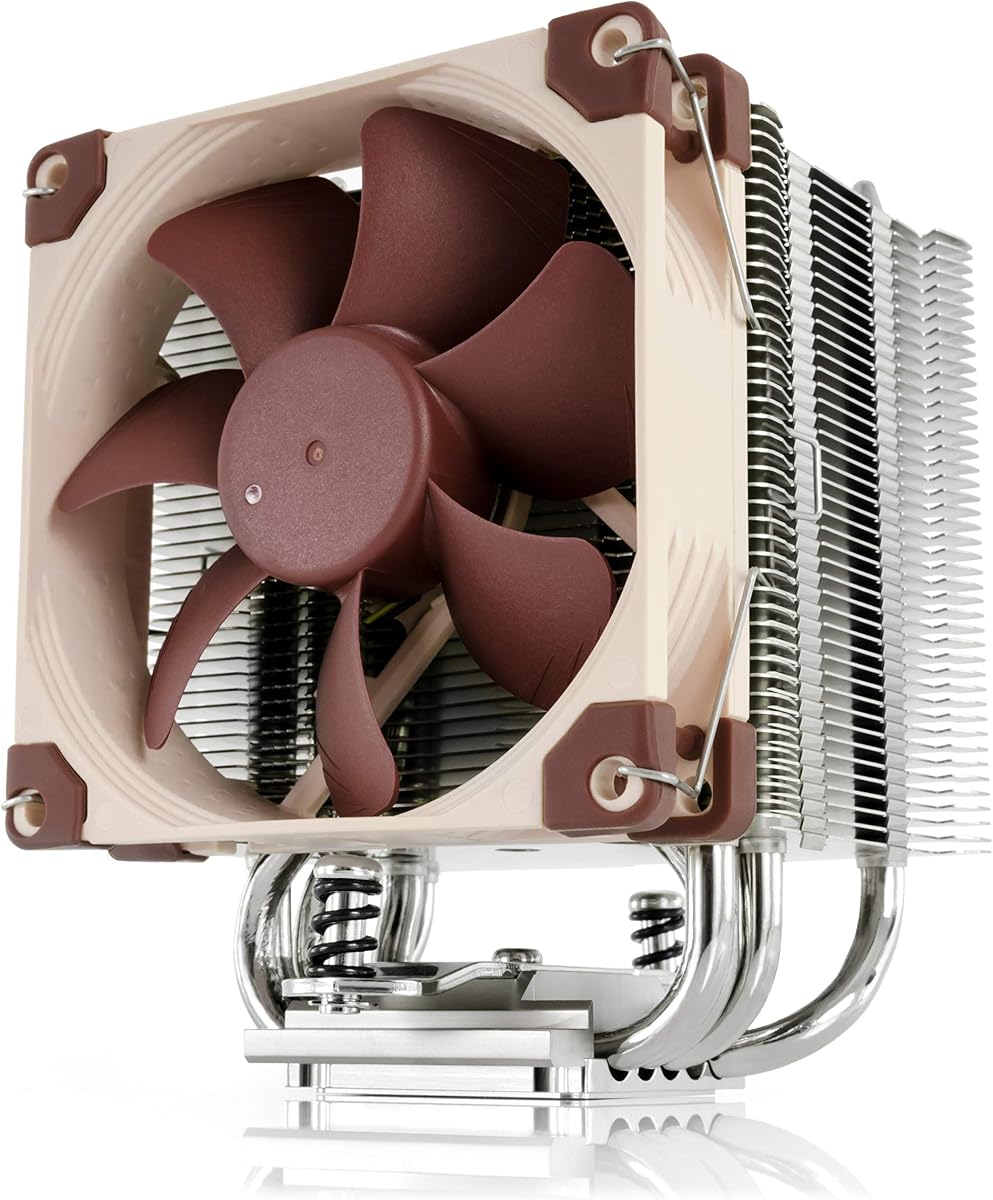
The classic NH-D15 has been a benchmark for air cooling for years and continues to offer outstanding value for its performance level. It shares many specifications with the chromax version but retains the original color scheme which some users may prefer for a retro look.
We may earn a commission when you buy through this link, at no additional cost to you.
Its dual tower design with six heatpipes and two large 140mm fans ensures that it can handle even the most demanding CPUs with ease. The performance is on par with many water coolers making it a reliable choice for overclocking and high-load scenarios.
While the brown and beige color scheme may not suit every build it is a sign of the authentic Noctua experience. The mounting system is well designed and the inclusion of offset mounting options ensures compatibility with high profile RAM modules.
This cooler is an excellent choice for those who prioritize performance over aesthetics and want to save a few dollars compared to the newer G2 version. It remains one of the most versatile air coolers available on the market today.
Years of testing and user feedback have proven that this cooler delivers stable results across a wide variety of hardware configurations.
For users who want top tier thermal performance without paying for the latest design tweaks this classic model offers great value.
We may earn a commission when you buy through this link, at no additional cost to you.
The NH-D15 G2 in its regular version brings refined engineering to the already excellent G1 model. It retains the dual tower architecture but improves upon it with additional heatpipes and new fans that offer better acoustic performance.
We may earn a commission when you buy through this link, at no additional cost to you.
The new G2 fans are designed to move more air with less noise thanks to aerodynamic improvements and speed offset tuning. The mounting system has been upgraded to Torx which allows for more consistent clamping force and easier installation with the included screwdriver.
While the performance gains over the original may seem incremental in isolation they add up to a cooler that runs quieter and cooler under load. The inclusion of NT-H2 paste ensures a strong thermal connection between the CPU and the heatsink base.
This model is recommended for users who want the latest Noctua technology without committing to the all-black chromax aesthetic. It provides a solid balance of performance and features that make it a top contender for high-end builds.
New fans and heatpipe layout optimize airflow through the fins reducing turbulence and lowering noise while maintaining cooling capacity.
The Torx mounting system ensures that the heatsink is applied with the correct pressure every time reducing the risk of uneven contact.
We may earn a commission when you buy through this link, at no additional cost to you.
The NH-L9x65 is one of the best low profile coolers available for users who need to fit a PC into a shallow chassis. Its total height of just 65mm ensures it will not interfere with most case limitations while still offering decent thermal performance.
We may earn a commission when you buy through this link, at no additional cost to you.
It uses a slim 92mm fan that is optimized for low noise and efficient airflow through its small heatsink. This design allows for a quiet experience even when the CPU is working hard making it perfect for home theater PCs or office workstations.
While it is not designed for extreme overclocking it handles many modern CPUs with moderate thermal output without breaking a sweat. The mounting system is robust and ensures that the cooler stays securely in place even if the PC is moved frequently.
This cooler is an ideal choice for builders who prioritize case size and noise levels over raw thermal performance. It delivers the reliability and quiet operation Noctua is famous for in a form factor that fits almost anywhere.
At only 65mm tall this cooler clears virtually any ITX case allowing for a compact build without compromising on brand reliability.
The slim fan runs at low speeds to maintain silence ensuring that your PC does not add noise to your media room environment.
We may earn a commission when you buy through this link, at no additional cost to you.
This chromax version of the NH-L9x65 offers the same low profile performance as the standard model but with a striking all-black finish. It is perfect for users who want a cohesive look for their build without sacrificing the reliability of the original design.
We may earn a commission when you buy through this link, at no additional cost to you.
The slim 92mm fan ensures that airflow is optimized for quiet operation while the compact heatsink fits into cases with very low clearance. It does not overhang RAM or PCIe slots which is a critical requirement for many mini-ITX motherboards.
While it is not intended for high TDP processors it excels at keeping standard office or home theater CPUs cool and silent. The black color scheme matches modern cases and components making it easier to hide in plain sight.
This cooler is a great option for builders who care about aesthetics as much as functionality. It delivers the same quiet performance as the original while adding a touch of style that many users appreciate.
The all black color scheme blends perfectly with modern PC components allowing you to build a uniform look without visible contrast.
The 65mm height ensures compatibility with the smallest cases giving you flexibility in chassis selection without compromising brand quality.
We may earn a commission when you buy through this link, at no additional cost to you.
The NL-LC1-36 brings Noctua's reputation for quality to liquid cooling with a premium AIO solution that prioritizes silence and reliability. It uses a high-quality Asetek platform that is tuned specifically to reduce pump noise and vibration.
We may earn a commission when you buy through this link, at no additional cost to you.
The radiator is a full 360mm in size allowing it to dissipate heat efficiently even under extreme loads. Three NF-A12x25 G2 fans push air through the radiator to ensure that coolant temperature stays low even during long gaming sessions.
One unique feature is the pump noise absorber which uses acoustic materials and a tuned mass damper to eliminate the hum often associated with liquid cooling pumps. This makes the system incredibly quiet even at full speed.
This cooler is perfect for users who want the thermal advantages of liquid cooling without the risk of noise or complexity. It is especially well suited for high-end gaming PCs and workstations where silence and performance are equally important.
Advanced soundproofing and dampening ensure that the pump remains inaudible even in quiet environments where noise would otherwise be noticeable.
The large radiator and high performance fans work together to remove heat quickly keeping your CPU at optimal temperatures.
We may earn a commission when you buy through this link, at no additional cost to you.
Selecting the right Noctua cooler involves balancing size compatibility thermal performance and budget. This guide breaks down the key factors to consider so you can make an informed decision.
Noctua offers both air and liquid cooling solutions. Air coolers are generally more reliable and easier to install while AIOs provide higher thermal capacity for extreme overclocking. Consider your case dimensions and clearance requirements before choosing.
Ensure the cooler supports your CPU socket. Noctua supports the latest Intel LGA1851 and AMD AM5 sockets but you must verify the mounting kit is included. Offset mounting options help with RAM clearance on high density boards.
Match the cooler to your CPU heat output. High end chips benefit from dual towers like the NH-D15 while standard CPUs can run well on single towers or low profile models. Check the TDP rating for each model to confirm suitability.
Noctua fans are designed for low noise. Models with larger fans like 140mm tend to be quieter than smaller 92mm fans at equivalent airflow. Consider where your PC will sit to prioritize acoustic performance accordingly.
Prices vary significantly between models. The Redux line offers good value while G2 and AIO models come at a premium. Decide how much you are willing to spend for the performance gains offered.
Classic Noctua coolers come in brown and beige while chromax versions are all black. Choose a color scheme that fits your build style or plan to use the included shrouds to hide the fans.
Most models come with thermal paste and mounting hardware. Some G2 models include a dedicated screwdriver for better torque control. Verify what is included to avoid buying extra parts later.
Noctua offers a six year warranty on most coolers which is longer than the industry standard. Keep your proof of purchase to ensure you can claim support if any issues arise during the warranty period.
Before installing your cooler ensure your motherboard is secured and the CPU is properly seated. Apply a small pea sized amount of thermal paste to the center of the processor. Spread it evenly if your paste does not self level but avoid over application.
Attach the mounting brackets according to the manual for your specific socket. Align the cooler base with the CPU and secure the screws evenly to ensure uniform pressure. Do not overtighten as this can warp the CPU or damage the socket.
Connect the fan header to the CPU_FAN socket on your motherboard. Configure fan curves in the BIOS or software to optimize for balance between noise and cooling. Clean dust from the fins periodically to maintain airflow efficiency.
The NH-D15 or NH-D15 G2 are top choices for this processor because they provide the massive cooling capacity needed for high TDP chips. These dual tower coolers can handle the heat output efficiently without excessive noise.
Yes most modern Noctua coolers support Intel LGA1851 and LGA1700 sockets. Check the compatibility list on the product page to confirm that your specific model includes the necessary mounting brackets for these sockets.
Chromax models feature an all black finish for both the heatsink and fans while standard models have the classic brown and beige color scheme. Performance and dimensions are typically identical between the two versions.
Many Noctua coolers offer offset mounting options that move the heatsink to the side of the CPU socket. This clears the RAM slots allowing you to use high profile modules without interference on most motherboards.
Use compressed air to blow dust out of the fan blades and heatsink fins. Hold the fan blades steady with your finger to prevent spinning while using the air to avoid damaging the motor bearings.
The Redux line offers similar performance to the standard line but with a simplified design to reduce cost. It retains the core cooling capabilities and build quality making it a great value option for most users.
We have reviewed ten exceptional Noctua CPU coolers that cater to a wide range of needs from compact ITX builds to high performance workstations. The NH-D15 chromax.Black remains our top pick for its perfect balance of performance and silence.
When making your choice prioritize the size of your case and the thermal output of your CPU. If space is tight look at the NH-L9x65 or NH-U9S but if you need maximum cooling consider the NH-D15 G2 or NL-LC1-36.
Prices and availability can change quickly so check current listings before finalizing your purchase. Noctua products retain their value and performance over time ensuring you get a reliable cooling solution for years to come.