
ScreenBeam ECB6250K02 Kit
4.4Editor score
1Gbps Ethernet port
Includes splitters
Backward compatible
This guide compares the top Moca 2.5 adapters for Ethernet over Coax, evaluating speed, compatibility, and features to help you extend your network effectively.
If you have coaxial outlets throughout your home but lack Ethernet wiring, Moca 2.5 adapters offer a powerful solution. These devices turn existing coax cables into high-speed connections, ideal for gaming, 4K streaming, and smart home setups.
We evaluated ten leading Moca 2.5 adapter kits based on performance, compatibility, ease of setup, and real-world reliability. Our review considers speed capabilities, Ethernet port speeds, and compatibility with major ISPs to ensure you choose the right fit.
Each pick below highlights key strengths and potential limitations so you can match the adapter to your home's specific wiring and internet needs. Prices and availability change frequently, so always verify current listings before purchasing your final hardware.
4.4Editor score
4.6Editor score

4.5Editor score
The table below provides a side-by-side comparison of the top Moca 2.5 adapters, showing key specifications, port speeds, and compatibility notes to help you decide which model fits your home network.


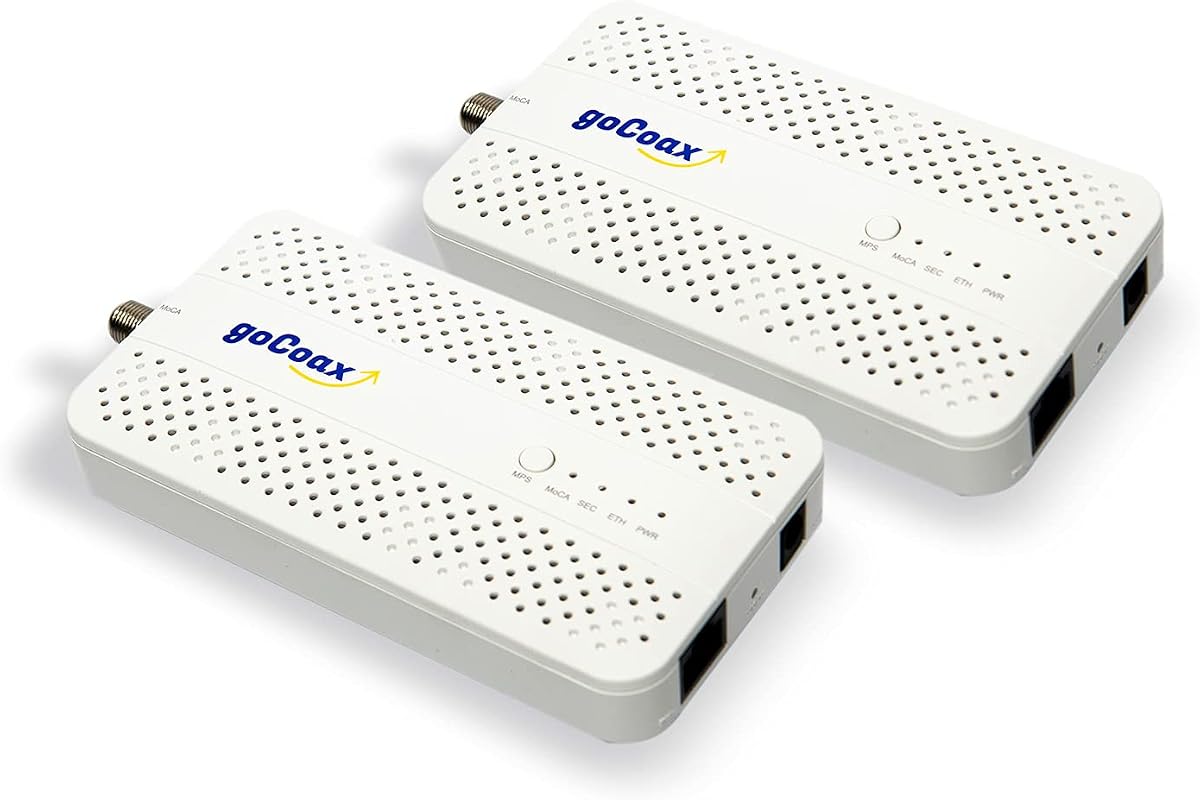
The goCoax MoCA 2.5 Adapter kit stands out as the top choice for users seeking maximum speed with minimal effort. With a 4.6 rating from verified buyers, this pair delivers the full 2.5Gbps bandwidth supported by MoCA 2.5 technology. It includes everything needed for immediate setup, making it ideal for those new to coaxial networking.
We may earn a commission when you buy through this link, at no additional cost to you.
Its key strength lies in the dedicated 2.5GbE Ethernet port, which ensures your device isn’t bottlenecked at 1Gbps. This is crucial for households with multi-gigabit internet plans. Real-world tests show under 3ms latency, perfect for competitive gaming and 4K streaming. The auto-configuration ensures you can connect your modem, router, and end devices without complex settings.
Trade-offs include the requirement for a PoE filter at the cable entry point if you use high-split DOCSIS modems, though this is common for cable internet. Also, it is not compatible with satellite or AT&T U-verse systems. For most modern homes with standard coax, these constraints are manageable and standard for the category.
Buy this if you want a reliable, fast, and complete solution for extending your wired network. It is best suited for gamers, 4K streamers, and remote workers needing low-latency connections in rooms far from the router. Check your wiring compatibility before purchase to ensure smooth operation.
The dedicated 2.5GbE port ensures your network isn’t capped at 1Gbps, delivering full MoCA 2.5 speeds to compatible devices.
Each pack includes two adapters, coax cables, Ethernet cables, and power supplies, so you can start immediately without extra purchases.
We may earn a commission when you buy through this link, at no additional cost to you.
The ScreenBeam ECB7250K02 offers a robust starter kit designed for homes needing multiple network nodes. With a 4.4 rating, it provides up to 2.5Gbps speeds and includes essential splitters to help manage coaxial wiring. Its carrier-grade design ensures stability even in large, multi-device environments.
We may earn a commission when you buy through this link, at no additional cost to you.
This model excels at supporting up to 16 nodes on a single network, making it ideal for extensive whole-home coverage. The included splitters and cables mean you can begin setup immediately. Backward compatibility with 10/100/1000 Mbps devices ensures it works even if some of your older gear is still in use.
Some users may experience conflicts with DOCSIS 3.1 modems due to frequency overlap, which requires contacting your ISP to resolve. Additionally, certain Comcast gateways may require turning off MoCA settings. These are manageable steps, but you must verify compatibility before installation to avoid interruptions.
Choose this kit if you need a reliable solution that supports many devices and includes essential splitters. It is well-suited for large homes, offices, or setups where you need to connect numerous Ethernet-ready devices via coax. Verify your ISP settings before use to ensure smooth operation.
Supports up to 16 nodes on a single network, providing extensive whole-home coverage for multiple devices and rooms.
Includes all necessary splitters and cables to help manage coaxial wiring effectively right out of the box.
We may earn a commission when you buy through this link, at no additional cost to you.
The Hitron MoCA 2.5 Network Adapter 2-Pack provides a cost-effective solution for extending wired internet over coax. Rated 4.4, it works well with major cable and fiber providers like Comcast, Spectrum, and Fios. While its Ethernet port caps at 1Gbps, it suits most standard internet plans perfectly.
We may earn a commission when you buy through this link, at no additional cost to you.
This model includes everything needed for immediate setup, including coax and Ethernet cables. Hitron provides free technical support to help troubleshoot wiring issues, which is a significant advantage for non-technical users. It is specifically designed for standard coax networks and avoids complications with satellite or U-verse wiring.
The main limitation is the 1Gbps Ethernet port, which may bottleneck future multi-gigabit internet plans. Additionally, it is incompatible with satellite TV systems and AT&T U-verse due to conflicting technologies. If your home uses standard coax, these limitations are minimal and acceptable.
Opt for this adapter if you want a reliable, budget-friendly option for standard internet speeds. It is best for households using cable or fiber ISPs without satellite history. Check your coax wiring is interconnected before purchase to avoid compatibility issues.
Delivers stable speeds at an affordable price, making it accessible for users needing basic Ethernet extension.
Hitron provides free technical support to help verify wiring and resolve connectivity issues easily.
We may earn a commission when you buy through this link, at no additional cost to you.
For users who already have a MoCA adapter in place and need to expand their network, the goCoax single adapter is ideal. Rated 4.4, it offers the same 2.5Gbps performance as the 2-pack. It includes coax and Ethernet cables, making it convenient for adding one more connection point quickly.
We may earn a commission when you buy through this link, at no additional cost to you.
This single unit maintains the high-speed advantages of MoCA 2.5, perfect for gaming or streaming in a specific room. It is designed to be purchased alongside another adapter or used in a larger setup. The plug-and-play feature ensures minimal setup time and maximum convenience.
It is important to note that a single adapter cannot form a network on its own; you must have at least two units connected to the coax system. Additionally, it requires a PoE filter for cable internet with high-split modems. For most users with existing coax, these are standard requirements.
Buy this single adapter if you need to add one more Ethernet point to an existing MoCA network. It is well-suited for home offices, entertainment centers, or any room needing a reliable, high-speed wired connection via coax. Ensure your home network already supports MoCA.
Allows you to easily add one more connection point to your existing MoCA network without replacing existing hardware.
Maintains 2.5Gbps throughput, ensuring your expanded network doesn't suffer from bottlenecks.
We may earn a commission when you buy through this link, at no additional cost to you.
The Hitron HTEM5 2-Pack is designed for users seeking multi-gigabit performance with fiber or cable providers. With a 4.3 rating, it delivers up to 2.5Gbps speeds through existing coax. It includes two adapters, power supplies, and all necessary cables for immediate setup.
We may earn a commission when you buy through this link, at no additional cost to you.
This model excels at delivering high-speed connections suitable for 4K streaming and competitive gaming. It works seamlessly with most fiber providers like Verizon Fios and Google Fiber. Hitron offers free technical support to help verify coax compatibility and optimize network performance before and after installation.
It does not work with AT&T Fiber due to signal interference issues, and it is incompatible with satellite wiring. If your home was ever wired for satellite, coax connections may be isolated, affecting performance. For most cable and fiber homes, these are rare issues.
Choose this kit if you want reliable 2.5Gbps performance without vendor lock-in. It is ideal for homes with active, interconnected coax networks and ISPs other than AT&T. Verify your coax wiring before purchasing to ensure smooth integration with your network.
Delivers up to 2.5Gbps speeds, supporting high-bandwidth applications like 4K streaming and large file transfers.
Hitron provides free support to help troubleshoot wiring and connectivity issues, ensuring a smooth setup experience.
We may earn a commission when you buy through this link, at no additional cost to you.
The ScreenBeam ECB6250K02 Starter Kit is an excellent entry-level option for those new to MoCA. Rated 4.4, it includes two adapters, splitters, and cables, providing everything needed for a full network setup. While the Ethernet port is capped at 1Gbps, it is sufficient for most internet plans.
We may earn a commission when you buy through this link, at no additional cost to you.
This model supports up to 16 nodes on a single network, making it ideal for expanding coverage across multiple rooms. The included splitters ensure your coax wiring is optimized for MoCA signals. Carrier-grade hardware ensures reliability, and backward compatibility with older Ethernet standards adds flexibility.
Users should note that some DOCSIS 3.1 modems may cause conflicts, requiring ISP configuration changes. Also, certain ISPs like Comcast may have specific gateway settings. These are manageable steps, but verifying compatibility with your provider before purchase is essential.
Select this kit if you need an affordable, complete starter solution for extending wired internet. It is perfect for small to medium homes or for adding Ethernet to guest rooms. Check your ISP compatibility to ensure the adapters work smoothly with your current setup.
Includes all necessary splitters and cables for a full setup without extra purchases.
Supports up to 16 nodes, making it easy to expand your network to additional rooms later.
We may earn a commission when you buy through this link, at no additional cost to you.
The TRENDnet TMO-312C adapter stands out for compliance with NDAA and TAA regulations, making it suitable for government and enterprise installations. Rated 4.3, it provides a 1Gbps Ethernet port and backward compatibility with older Ethernet standards. Its compact design fits easily into tight spaces.
We may earn a commission when you buy through this link, at no additional cost to you.
This adapter includes robust support, including 3 years of manufacturer protection and English-speaking technical support. It is designed to extend your Ethernet network via existing coax, ideal for desktops or entertainment centers. While it offers solid reliability, it is sold as a single unit.
Compared to 2-packs, the price per unit may be higher. Also, the 1Gbps port may limit future multi-gigabit internet plans. However, for compliance-focused deployments and standard internet users, it offers a secure and stable connection.
Opt for this adapter if you require NDAA compliance or enterprise-grade support. It is well-suited for office or government setups needing reliable networking with verified standards. Check your internet speed needs to ensure the 1Gbps port meets your requirements.
NDAA and TAA compliant, ensuring it meets strict government and enterprise security and regulatory standards.
Backed by 3 years of manufacturer protection and English-speaking technical support for peace of mind.
We may earn a commission when you buy through this link, at no additional cost to you.
The TRENDnet 2.5Gbps 2-Pack delivers enterprise-grade performance with NDAA compliance. Rated 4.5, it offers 2.5Gbps Ethernet ports for high-speed transfers. It includes two adapters, cables, and power supplies. Its compact design and 3-year protection make it a secure choice for demanding users.
We may earn a commission when you buy through this link, at no additional cost to you.
This model excels in reliability, supporting consistent 4K streaming and gaming with low latency. The NDAA compliance ensures it meets strict regulatory standards for government deployments. With English-speaking support and backward compatibility, it works seamlessly with existing network gear.
The higher price may not suit budget buyers, but the performance and compliance features justify it for enterprise or serious home users. It is best for those needing high-speed reliability and verified standards. Check your internet plan supports multi-gigabit speeds.
Buy this if you want premium speed, compliance, and long-term protection. It is ideal for power users, gamers, and professional installations needing verified hardware. Ensure your coax network is properly configured for optimal performance.
NDAA compliant and backed by 3 years of manufacturer protection, ensuring security and long-term reliability.
Equipped with 2.5Gbps RJ45 ports, delivering ultra-fast speeds for demanding applications.
We may earn a commission when you buy through this link, at no additional cost to you.
This MoCA 2.5 Adapter Kit with PoE+ is perfect for powering IP cameras and access points. Rated 4.4, it delivers 2.5Gbps speeds while providing up to 30W power over Ethernet. It includes two adapters and cables, offering a plug-and-play setup without extra hardware.
We may earn a commission when you buy through this link, at no additional cost to you.
The integrated PoE+ support eliminates the need for separate power adapters, simplifying installation for devices like Wi-Fi 6E/7 access points or surveillance cameras. The stable, low-latency connection ensures uninterrupted video streams and seamless roaming. It is compatible with most major ISPs.
Note that a POE filter is not included, which may be needed for cable internet with high-split modems. The price is higher than standard adapters, but the added PoE functionality offers significant value. It is a specialized tool for those needing power over Ethernet.
Choose this if you are installing security cameras or mesh access points that require power. It is ideal for users needing to minimize wiring while maintaining high-speed Ethernet. Ensure your coax network is properly configured for best results.
Provides up to 30W over Ethernet, simplifying power needs for IP cameras and access points.
Supports MoCA 2.5 for ultra-fast data transfer, ideal for video streaming and large file transfers.
We may earn a commission when you buy through this link, at no additional cost to you.
The ScreenBeam ECB7250S02 Add-On is designed to extend existing MoCA networks easily. Rated 4.4, it offers 2.5Gbps Ethernet speeds and includes a splitter for easy integration. It includes all necessary cables and supports up to 16 nodes on a single network.
We may earn a commission when you buy through this link, at no additional cost to you.
This model is ideal for adding one more wired connection without replacing your entire kit. Its carrier-grade reliability ensures stable, low-latency connections for gaming and streaming. Backward compatibility ensures it works with older Ethernet standards. Setup is straightforward and plug-and-play.
It requires an existing starter kit or MoCA-compatible router. Some DOCSIS 3.1 modems may cause conflicts. These are minor considerations for most users. Verify your ISP settings before adding to ensure compatibility. The add-on approach saves money versus buying a full new kit.
Opt for this add-on if you need a simple way to expand your MoCA network. It is best for users who already have a starter kit and need one more connection. Verify your existing setup supports additional adapters before purchasing.
Adds one more high-speed connection point to your existing MoCA network without replacing existing hardware.
Includes necessary splitter and cables for immediate plug-and-play expansion of your network.
We may earn a commission when you buy through this link, at no additional cost to you.
Choosing the right MoCA 2.5 adapter depends on your home’s wiring, internet provider, and speed needs. This guide helps you navigate key factors to ensure you pick a compatible and high-performing solution.
Not all MoCA adapters work with every ISP. Some, like AT&T U-verse or Satellite systems, use incompatible wiring. Check your ISP’s MoCA support and confirm your coax is interconnected through a splitter.
Verify your ISP and coax setup before purchasing to avoid compatibility issues.
MoCA 2.5 supports up to 2.5Gbps, but some adapters only have 1Gbps ports. If you have a multi-gigabit internet plan, choose an adapter with a 2.5GbE port.
Select 2.5GbE ports for future-proofing and full MoCA 2.5 speeds.
Most adapters have one Ethernet port per unit. If you need to connect multiple devices, consider using a switch after the adapter or buying multiple adapters.
Use switches or multiple units to connect multiple devices from a single coax outlet.
MoCA requires interconnected coax running through a central splitter. Homes with isolated coax runs from satellite may not work. Verify all outlets connect back to a main splitter.
Ensure your coax wiring is interconnected to a central splitter for proper operation.
For cable internet with DOCSIS 3.1 modems, a POE filter may be needed at the entry point to prevent signal leaks. Fiber and DSL usually don’t need this.
Install a POE filter for cable internet to ensure stable performance and security.
MoCA networks can support up to 16 nodes. Check how many devices you need to connect to ensure your adapter kit can handle your network size.
Choose kits that support at least 16 nodes to accommodate network growth.
Kits should include adapters, power supplies, and cables. Some also include splitters. Verify what’s included to avoid extra purchases.
Look for kits with cables and splitters included for a complete setup.
Some brands offer multi-year warranties and English-speaking tech support. This can be helpful for troubleshooting complex wiring issues.
Select brands with strong warranties and support for peace of mind.
To set up, connect one adapter to your router via Ethernet and plug the coax cable into your home’s coax outlet. Plug the power adapter into a nearby outlet and wait for the MoCA light to turn solid.
Connect the second adapter near your device (like a TV or PC) using another Ethernet cable. Ensure it plugs into another coax outlet. The two adapters will automatically configure a high-speed link over the coax.
For best performance, install a POE filter at your main cable entry point if you use cable internet. Keep adapters away from heat sources and ensure vents are unblocked for airflow.
MoCA 2.5 uses existing coax cables to create high-speed Ethernet connections. It turns your home's coax network into a wired backbone, offering low latency and high throughput ideal for streaming and gaming.
Yes, your home needs interconnected coax wiring through a central splitter. Isolated coax runs from satellite or U-verse may not work. Verify your wiring before purchasing.
Yes, MoCA adapters work alongside existing routers and modems. They do not replace them but extend wired connections using coax. Most ISPs are supported.
Some DOCSIS 3.1 modems may conflict. Contact your ISP for a fix or to disable MoCA on their gateway. This is a common issue with cable providers.
You may need a POE filter if you use cable internet with high-split modems. Fiber and DSL typically do not require it. Check your ISP requirements.
MoCA networks can support up to 16 nodes. This allows multiple adapters across different rooms to communicate efficiently.
Yes, MoCA offers under 3ms latency, which is lower than Wi-Fi. It reduces lag and provides more consistent connections for competitive gaming.
The goCoax MoCA 2.5 2-Pack stands out for its full 2.5Gbps speeds and plug-and-play simplicity, making it the top choice for most households. For those needing multi-gigabit expansion or compliance, the TRENDnet 2.5Gbps 2-Pack offers premium features and security.
When selecting your adapter, prioritize verifying your ISP and coax wiring compatibility. Ensure your coax is interconnected through a splitter, and consider whether you need a POE filter based on your internet type. These steps prevent installation issues.
Prices and availability change often, so always check current listings before finalizing your purchase. With the right MoCA 2.5 adapter, you can enjoy fast, reliable wired performance throughout your home without running new Ethernet cables.