
Logitech G F310 Wired Gamepad Controller Console – Blue/Black
4.4Editor score
Familiar Xbox 360 layout
Six-foot comfortable USB cord
Programmable via Profiler software
Discover the top controllers for retro console gaming comparing wired, wireless, and vintage-style options for PC, Switch, and classic consoles to enhance your
Retro gaming brings back the magic of classic systems, but modern consoles often lack native support for vintage peripherals. Finding the right controller ensures your favorite arcade and 8-bit titles feel authentic while delivering reliable performance on today's hardware.
We evaluated ten top-rated controllers based on build quality, connectivity options, and compatibility with emulators and modern platforms. Each pick balances nostalgia with practical features like wireless freedom, programmable buttons, and precise inputs for a superior gaming experience.
Each review highlights key strengths and trade-offs to help you match a controller to your setup. Prices and availability change frequently so verify current details before purchasing to ensure you get the best value for your retro gaming needs.
4.4Editor score

4.6Editor score
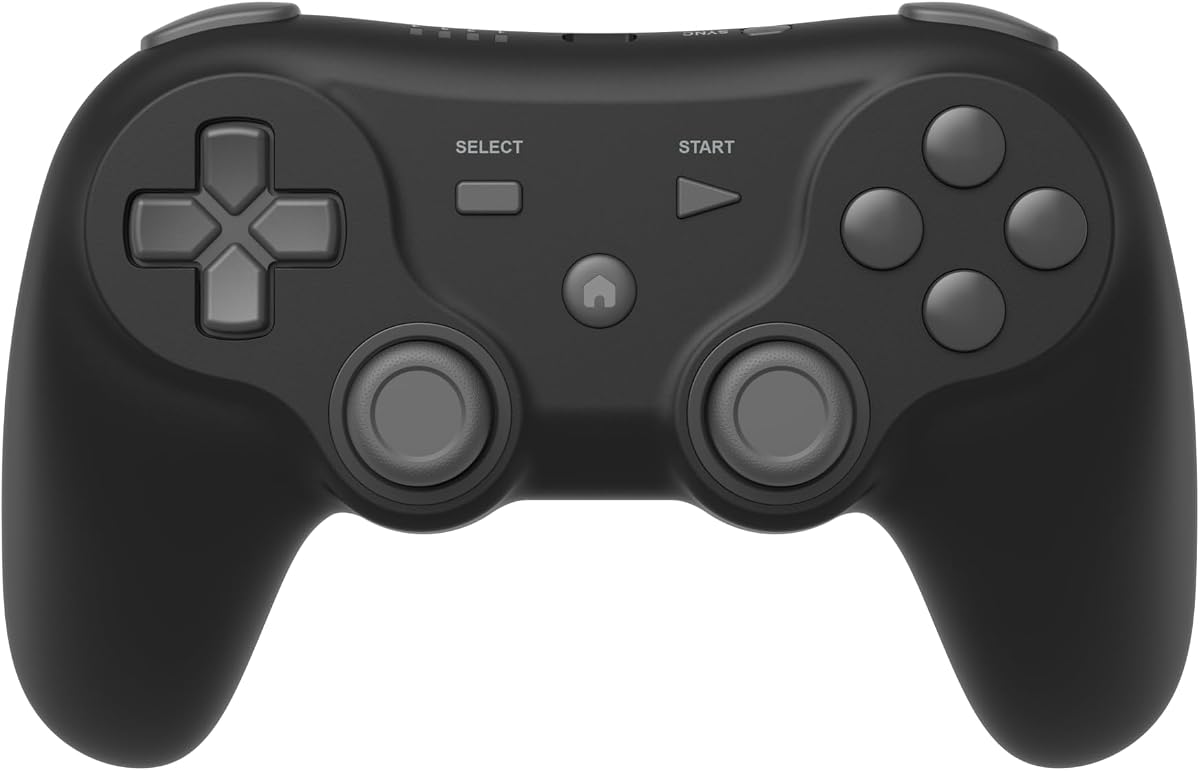
3.8Editor score
This side-by-side comparison highlights the key specifications and compatibility details of each top-rated retro controller to help you quickly identify the best fit for your gaming system.


The Logitech G F310 is a budget-friendly wired controller designed for broad compatibility with both modern and retro titles. It offers a familiar Xbox 360 layout that reduces the learning curve for most gamers.
We may earn a commission when you buy through this link, at no additional cost to you.
Its floating D-pad provides responsive directional input and the six-foot cord allows comfortable seating distances. The Profiler software enables keyboard mapping for games lacking native pad support.
While it lacks wireless features and advanced customization, its simplicity and affordability make it a solid entry point. Users may need to install drivers for full functionality on newer systems.
Choose this controller if you prioritize cost and basic performance over wireless freedom. It is an excellent option for casual retro gamers or those setting up a shared PC station.
The standard USB connection ensures stable input without battery concerns or signal interference during long sessions.
The Xbox-style button arrangement makes it intuitive for players transitioning from modern consoles to retro emulation.
We may earn a commission when you buy through this link, at no additional cost to you.
The 8Bitdo SN30 Pro stands out as a fully featured retro controller combining wireless freedom with advanced precision. Its Hall Effect joysticks ensure long-lasting accuracy for competitive retro play.
We may earn a commission when you buy through this link, at no additional cost to you.
It includes motion controls, rumble vibration, and a USB-C connection for charging. The 18-hour battery life supports extensive gaming sessions without frequent interruptions.
The price reflects its premium features and broader compatibility across Switch, PC, and Android devices. Firmware updates may be necessary to maintain full functionality on newer hardware.
This controller is ideal for enthusiasts who value precision and versatility. It delivers a complete package for both classic and modern emulation on the go.
Magnetic joysticks eliminate physical wear and provide superior accuracy compared to traditional potentiometer designs.
Compact dimensions and long battery life make it perfect for handheld setups or travel with gaming handhelds.
We may earn a commission when you buy through this link, at no additional cost to you.
This two-pack offers an affordable wireless solution specifically tailored for Windows PC and macOS retro emulation. The 2.4GHz connection ensures stable input within a ten-meter range.
We may earn a commission when you buy through this link, at no additional cost to you.
Its plug-and-play setup eliminates driver installation hassles and the rechargeable batteries support ten hours of gameplay per charge. It works well with Raspberry Pi setups.
Compatibility is limited to PC and Mac environments so Switch users should avoid this model. The SNES style fits nostalgic titles perfectly but may lack modern features.
Ideal for local multiplayer sessions on a computer this pack provides excellent value. Choose it if you need multiple controllers for shared retro gaming experiences.
Receiving two controllers out of the box simplifies setup for couch co-op sessions on your PC.
The dedicated 2.4GHz receiver minimizes latency ensuring responsive gameplay comparable to wired options.
We may earn a commission when you buy through this link, at no additional cost to you.
Designed specifically for AV 620 and HD 621 consoles this controller offers a perfect fit for vintage systems. The 9-pin port ensures seamless physical connection without adapters.
We may earn a commission when you buy through this link, at no additional cost to you.
The four-button layout with continuous fire gives you an edge in action games. Its simple design makes it accessible for children to share classic gaming moments.
Compatibility is its main constraint as it only works with designated retro consoles. You cannot use it on modern platforms like PC or Switch without additional hardware.
If you own one of these specific classic systems this pack is the ideal choice. It provides authentic controls without the complexity of modern emulation setups.
The DB9 plug matches older console ports directly ensuring reliable input for classic arcade games.
No drivers or software are required just insert and start playing immediately for effortless setup.
We may earn a commission when you buy through this link, at no additional cost to you.
The Retro-Bit Legacy 16 captures the feel of the 16-bit era with a responsive D-pad and ergonomic design. It bridges nostalgia with modern compatibility for Switch and PC users.
We may earn a commission when you buy through this link, at no additional cost to you.
Its generous ten-foot cable allows flexibility in seating positions. Dedicated Home and screenshot buttons add functionality for Nintendo Switch emulation without sacrificing the classic layout.
While it lacks wireless connectivity and premium materials it remains affordable and reliable for fighting games and shooters. The build quality is functional but not rugged.
Select this controller if you crave an authentic 16-bit feel on modern consoles. It is a great option for fans of Sega Genesis or Super Nintendo emulation.
The styling and button feedback replicate the tactile experience of classic 16-bit hardware faithfully.
Works seamlessly with Switch and PC ensuring you can enjoy retro titles on current systems.
We may earn a commission when you buy through this link, at no additional cost to you.
This controller is engineered for Analogue 3D hardware offering seamless wireless connectivity or a wired backup. It brings the classic 64-bit layout to modern retro setups with precision.
We may earn a commission when you buy through this link, at no additional cost to you.
Vibration support enhances immersion while the turbo function aids in repetitive gameplay tasks. Compatibility extends to Switch and Android for broader usage options.
Full Switch 2 support requires a firmware update which may limit immediate use for some. The design is faithful to the original but lacks modern refinements like rumble customization.
Ideal for Analogue 3D owners seeking an authentic wireless option it delivers reliable performance. It also suits collectors who prefer the original 64-bit aesthetic on PC.
Designed specifically to work with the Analogue 3D console ensuring perfect integration and input response.
Switch freely between Bluetooth and USB wired connections depending on your power and latency needs.
We may earn a commission when you buy through this link, at no additional cost to you.
The Defender Pro offers a high-end wireless experience with pressure-sensitive buttons and Hall Effect Sticks for durability. It supports multiple systems including PS1 through PS3 and Switch.
We may earn a commission when you buy through this link, at no additional cost to you.
Dual wireless modes give you flexibility while customizable trigger stops let you toggle between analog and digital inputs. This adaptability suits various retro game requirements.
Despite premium features the lower user rating suggests potential reliability issues or software quirks. The price is steep for a controller that may not match established brands.
Choose this if you need pressure sensitivity for PS2 games and value Hall Effect technology. It is a premium option for advanced users who prioritize specific input nuances.
Buttons detect varying levels of pressure allowing for more nuanced control in games that require it.
Toggle between analog and digital stops to match the input needs of different vintage titles.
We may earn a commission when you buy through this link, at no additional cost to you.
The Tegenaria Lite delivers ultra-low latency wired performance with a 1000Hz polling rate for instant response. Its ergonomic design and Hall Effect sticks ensure comfort and precision.
We may earn a commission when you buy through this link, at no additional cost to you.
Two programmable back buttons allow mapping essential functions for quicker execution. Dual asymmetric motors provide subtle vibrations to enhance immersion in retro titles.
The wired-only limitation may restrict mobility for some users. However for stationary setups the connection stability and speed are unmatched for competitive retro play.
Perfect for competitive retro gamers needing minimal lag this controller offers high value. Its combination of speed and precision makes it a strong contender for PC users.
Input signals are sent every millisecond minimizing latency for near-instantaneous responsiveness in games.
Programmable rear buttons extend your control options without needing to reach forward during intense play.
We may earn a commission when you buy through this link, at no additional cost to you.
This wireless two-pack offers impressive battery life and broad compatibility across Windows Mac and Linux. The 2.4GHz connection ensures a stable 10-meter range for casual play.
We may earn a commission when you buy through this link, at no additional cost to you.
A configurable turbo function lets you automate button presses for repetitive actions. The lithium-ion batteries support extensive playtime between charges reducing interruptions.
Users must configure keys using software like joystick mapper before playing. Compatibility does not extend to Mini NES or similar vintage consoles so verify setup details.
Ideal for home PC setups this pack is a cost-effective choice. The battery longevity and dual pack make it practical for shared gaming on modern systems.
One charge lasts up to 100 hours providing reliable performance over several weeks of typical use.
Set rapid button presses for action sequences using the included turbo settings in the software.
We may earn a commission when you buy through this link, at no additional cost to you.
The Trooper 2 offers a premium take on the Atari-style gamepad with a 4-way joystick and ergonomic corner grips. It is built for comfort during extended emulation sessions.
We may earn a commission when you buy through this link, at no additional cost to you.
High-quality materials ensure durability while the ten-foot cable gives flexibility in positioning. Six mappable buttons allow custom mapping for menus or various console modes.
The classic joystick may not suit everyone if you prefer modern D-pads. It is a solid wired choice for fans of retro arcade aesthetics on modern platforms.
Select this if you value sturdy build quality and a classic feel. Its design bridges old-school ergonomics with modern USB compatibility for reliable retro play.
Chamfered corners and soft rubber grips reduce hand fatigue during long gaming marathons.
Solid base and quality cord materials ensure a long lifespan for daily retro gaming use.
We may earn a commission when you buy through this link, at no additional cost to you.
Selecting the right controller involves balancing compatibility build quality and connectivity to match your specific retro gaming setup.
Ensure the controller works with your hardware whether that is PC Switch Raspberry Pi or a specific classic console. Some models feature proprietary plugs or software requirements that can limit use.
Always verify the product description lists your target system before purchasing to avoid return hassle and frustration.
Wired controllers generally offer zero-lag performance and stable connections which are crucial for competitive retro play. Wireless options provide freedom of movement but may introduce slight latency or battery dependency.
Choose wired for stationary PC setups and wireless if you prefer couch gaming or handheld portability.
Look for controllers made with high-quality materials such as reinforced buttons and durable cabling. Hall Effect joysticks are superior as they prevent long-term drift caused by physical wear.
Investing in a robust controller can save money by extending usability and reducing maintenance needs over time.
Classic systems used different layouts so ensure the controller matches the original feel for authentic gameplay. Consider if you need programmable buttons or special features like turbo modes.
Testing reviews or return policies can help if you are unsure whether the tactile feel suits your preferences.
For wireless models check the battery capacity and charging time to avoid frequent interruptions during long sessions. Rechargeable lithium-ion batteries typically offer the best value and longevity.
Models offering USB-C charging are convenient since they use modern cables already present in most homes.
Some controllers require software to map keys or update firmware which adds complexity to setup. Others offer plug-and-play functionality that works immediately without extra steps.
If you need advanced features like remapping check if the software is user-friendly and supports your operating system.
Budget controllers can be functional but may lack advanced features like Hall Effect sticks or wireless options. Premium models often justify higher costs with better longevity and versatility.
Determine your budget early and prioritize features that directly impact your specific retro gaming needs.
Connect your controller to your device using USB or Bluetooth. For wired setups plug into a free USB port and let your system automatically detect the device. For wireless models pair through Bluetooth settings using the provided manual for specific steps.
Configure the controller using any provided software if necessary. Map keys to match your preferred layout or assign turbo functions for games requiring repeated inputs. Test all buttons to ensure responsiveness before starting a session.
Maintain your controller by storing it in a dry place away from direct sunlight. Avoid using harsh chemicals on the buttons and wipe it with a soft dry cloth regularly. Replace batteries or charge regularly to maintain optimal performance.
Most modern retro controllers support plug-and-play on Windows without additional software. However some models like the Logitech G F310 require specific drivers or Profiler software for full customization. Check the product details to see if drivers are needed for your operating system.
Many retro controllers like the 8Bitdo SN30 Pro are Switch compatible officially. Some models such as the SNES Wireless Controllers may not work due to missing button configurations. Always verify Switch compatibility before purchasing if you plan to use it with the console.
A Hall Effect joystick uses magnetic sensors instead of physical contacts to detect movement. This design eliminates the friction that causes stick drift over time. It provides higher precision and longer lifespan for demanding retro and modern games.
Wired controllers often provide zero-lag performance which is ideal for competitive or precision-heavy retro games. They also eliminate battery concerns. However wireless controllers offer convenience and portability for casual players with modern setups.
Modern consoles do not have native 9-pin ports so you need an adapter. These adapters convert the 9-pin signal to USB or HDMI inputs compatible with Switch or PC. Verify the adapter supports your specific console model.
Turbo buttons automate repeated inputs which is useful for games requiring rapid actions. Setup ensures the correct function is assigned to the key. Software or manual instructions guide you to toggle the turbo feature safely.
Yes most USB retro controllers are recognized by emulators like RetroPie and Recalbox. They function as standard gamepads. You may need to map buttons within the emulator settings for optimal control alignment with classic titles.
The top picks highlight excellent options for various needs from the budget-friendly Logitech G F310 to the premium 8Bitdo SN30 Pro. Each offers a distinct balance of wireless convenience wired stability and authentic retro feel.
Prioritize compatibility with your specific hardware whether that is a PC Switch or vintage console. Look for durability features like Hall Effect sticks if you plan on extensive use.
Prices and availability can change so always verify current details on the product page. Choose the model that best aligns with your setup to ensure an immersive retro gaming experience.