
Sandisk Ultra microSD 64 GB
4.8Editor score
Up to 140MB/s Read
A1 Rated Performance
10 Year Warranty
This guide compares the top microSD cards for Raspberry Pi projects evaluating speed reliability and compatibility to help you choose the right storage
Choosing the right storage is critical for any Raspberry Pi project. A high quality microSD card ensures smooth boot times responsive app performance and reliable data storage for your builds.
We evaluated ten top rated options based on speed class capacity and real world performance. Our comparison covers preloaded systems and high speed cards for various Pi models.
Each pick highlights key features and ideal use cases for your setup. Keep in mind that stock and availability change frequently so check current listings before purchasing.
4.8Editor score

4.4Editor score

4.8Editor score
The following table provides a side by side overview of the ten selected microSD cards. It highlights key specifications and features to help you compare options quickly.



This card arrives with a 64bit Raspberry Pi OS preinstalled making it incredibly easy to get started. It holds a solid 4.4 rating from users who value convenience over raw capacity. The standout quality is the plug and play design that skips complex flashing steps.
We may earn a commission when you buy through this link, at no additional cost to you.
It works across almost every Raspberry Pi model including the new Pi 5 and older Zero 2 W units. The U3 Class 10 speed ensures responsive performance for desktop use coding and general browsing. This makes it ideal for educational projects or home media centers.
The main trade-off is the 64GB limit which might fill up quickly with large datasets or media files. However for most standard users this space is sufficient for the OS and essential software. The included printed instructions also simplify the initial setup process.
Beginners or those needing a quick deployment should choose this card for its ease of use. It saves significant time by providing a working system out of the box. If you need more storage later you can upgrade but this is the perfect start.
The preinstalled OS means you can power on and start working immediately without extra software tools.
Supporting models from Pi 5 down to Zero 2 W ensures this card fits many existing and new builds.
We may earn a commission when you buy through this link, at no additional cost to you.
This card offers a massive 128GB of space and incredibly fast read speeds up to 195MB/s. It has earned a 4.6 rating due to its reliability in general storage tasks. The A1 rating helps apps launch quickly on compatible devices including the Raspberry Pi.
We may earn a commission when you buy through this link, at no additional cost to you.
The high read speed is perfect for systems that access large files or stream media. You can move content quickly and boot times remain smooth thanks to the UHS-I interface. It is a versatile card that works well in cameras and phones too.
While it is fast the write speed is not as emphasized as the read speed in this model. For heavy data logging or constant writing tasks another card might be better. However for general usage and media playback this card excels at speed.
If you need to store lots of media or files on your Pi this card is ideal. The 128GB capacity gives plenty of room for expansion. Just ensure your Pi model supports the speed class to take full advantage of the performance.
The 195MB/s read speed allows for rapid file access and smooth media streaming experiences.
Suitable for use in phones cameras and laptops making it a multi purpose storage solution.
We may earn a commission when you buy through this link, at no additional cost to you.
This card stands out with A2 and V30 ratings which promise robust performance for apps and video. It holds an impressive 4.8 rating from users who test it under demanding conditions. The read speed of 190MB/s makes it one of the fastest in this list.
We may earn a commission when you buy through this link, at no additional cost to you.
The A2 rating means apps load faster and run more smoothly which is crucial for desktop environments on Pi. V30 ensures consistent video recording speeds making it great for media projects. The included adapter adds flexibility for standard SD slots.
The price is higher than standard cards but the performance justifies the cost for power users. If you run a media server or use Pi for video processing this card is worth the investment. Simple tasks might not need this level of speed.
Choose this if you want top tier performance and reliable speeds for your project. It is designed for devices that need to handle high throughput data efficiently. The combination of speed and reliability makes it a premium choice for serious builds.
A2 rating provides faster app loading and better in-app performance on single board computers.
V30 rating supports sustained 30MB/s write speeds ideal for recording Full HD and 4K video.
We may earn a commission when you buy through this link, at no additional cost to you.
This 64GB card offers a balance of speed and value with up to 140MB/s read speeds. It has achieved a 4.8 rating which shows high user satisfaction for its performance. The A1 rating ensures apps launch reasonably fast on your Pi system.
We may earn a commission when you buy through this link, at no additional cost to you.
It is a reliable choice for everyday tasks like browsing coding and basic media playback. The 10 year warranty provides peace of mind for long term usage. It is a trusted brand known for durability and consistent performance over time.
The 64GB capacity might limit large projects but it is enough for most OS needs. If you need more storage you can add external drives later. The speed is sufficient for standard operations without unnecessary extra cost for high end features.
For those on a budget this card delivers excellent performance without breaking the bank. It is perfect for beginners or classroom settings where many units are needed. You get a reliable and fast card at an affordable price point.
High speed performance with a low price point makes this an ideal choice for general users.
A 10 year limited warranty ensures you are covered against defects for a long time.
We may earn a commission when you buy through this link, at no additional cost to you.
This card offers the convenience of a preloaded OS with a larger 128GB capacity than the 64GB option. It holds a 4.7 rating indicating strong trust from users who have installed it on new builds. The OS is the latest official version with no unwanted software.
We may earn a commission when you buy through this link, at no additional cost to you.
It works with all current Pi models including the Pi 5 and 4B ensuring you are up to date. The 128GB space allows for more projects and data without immediately needing external storage. It simplifies the setup process significantly for non technical users.
The main difference compared to Beamo is the extra storage and a slightly higher price point. While the brand is less known the quality checks ensure a clean and reliable boot experience. The latest version of the OS ensures security and feature access.
If you need more storage but still want the ease of a preloaded card this is ideal. It saves time and removes the hassle of downloading and flashing images manually. It is a practical choice for anyone wanting to start working right away.
With 128GB you get double the space of the 64GB options while keeping the preloaded advantage.
Deployed with the latest official original version of Raspberry Pi OS for current features.
We may earn a commission when you buy through this link, at no additional cost to you.
This card from Amazon Basics offers a robust 128GB capacity with A2 and U3 ratings for performance. It has a 4.7 rating reflecting its reliability for general storage needs on various devices. The included full size adapter adds versatility for different slots.
We may earn a commission when you buy through this link, at no additional cost to you.
The A2 rating helps apps run more smoothly on the Pi while the U3 rating supports high bitrate video. It is built to resist water shocks and extreme temperatures making it durable for outdoor or industrial projects. It is a solid all-rounder card.
The read speed of up to 100MB/s is decent but not the fastest on the market. For basic computing tasks this is sufficient but high speed video work might benefit from faster options. However the durability and capacity make it a great value choice.
Choose this if you want a durable and versatile card that can handle tough conditions. It is perfect for Pi projects that might be used in varying environments. The combination of speed and durability makes it a smart buy for many.
Shock and water resistance ensures the card survives drops and moisture in tough environments.
A2 rating improves app launch and in-app performance for a smoother user experience.
We may earn a commission when you buy through this link, at no additional cost to you.
This 32GB card is an excellent entry point for basic Pi projects or testing. It holds a 4.7 rating and is known for its reliability and consistent performance over time. The Class 10 rating ensures it can handle standard video recording tasks well.
We may earn a commission when you buy through this link, at no additional cost to you.
The included SD adapter allows you to use this card in cameras or laptops easily. It is ideal for installing a lightweight OS or using for simple automation tasks like Home Assistant. The price is very low making it accessible for everyone.
However the 32GB capacity will fill up quickly if you add extra software or files. You may need to delete content regularly if you want to use it for storage. The read speed of 48MB/s is also slower than newer high speed cards.
For beginners who want a cheap option to test the waters this is a good start. It is small enough to get the job done without spending much money. Just keep in mind you may need more space for larger projects later.
Low cost and small capacity make this perfect for trying out Raspberry Pi projects.
Includes a full size adapter for compatibility with standard SD card slots and cameras.
We may earn a commission when you buy through this link, at no additional cost to you.
This card is officially branded and designed by Raspberry Pi for their single board computers. It has a 3.6 rating which is lower than third party options but still holds official status. It includes A2 and V30 ratings for good app and video performance.
We may earn a commission when you buy through this link, at no additional cost to you.
Being the official brand means it is optimized for the hardware ensuring stable performance and compatibility. It supports DDR50 and SDR104 interfaces which are standard for modern Pi models. The 64GB capacity is sufficient for most OS and project needs.
The main downside is the price which is often higher than comparable third party cards. Some users report slower than expected speeds compared to generic high performance cards. It is a safe choice but might not offer the best value for money.
Choose this if you prefer official products and are willing to pay a premium for compatibility. It ensures you have a card guaranteed to work well with official Raspberry Pi OS. It is a reliable choice for those avoiding third party risks.
Designed specifically for Raspberry Pi boards to ensure maximum compatibility and stability.
Supports DDR50 and SDR104 interfaces for standard high speed data transfer speeds.
We may earn a commission when you buy through this link, at no additional cost to you.
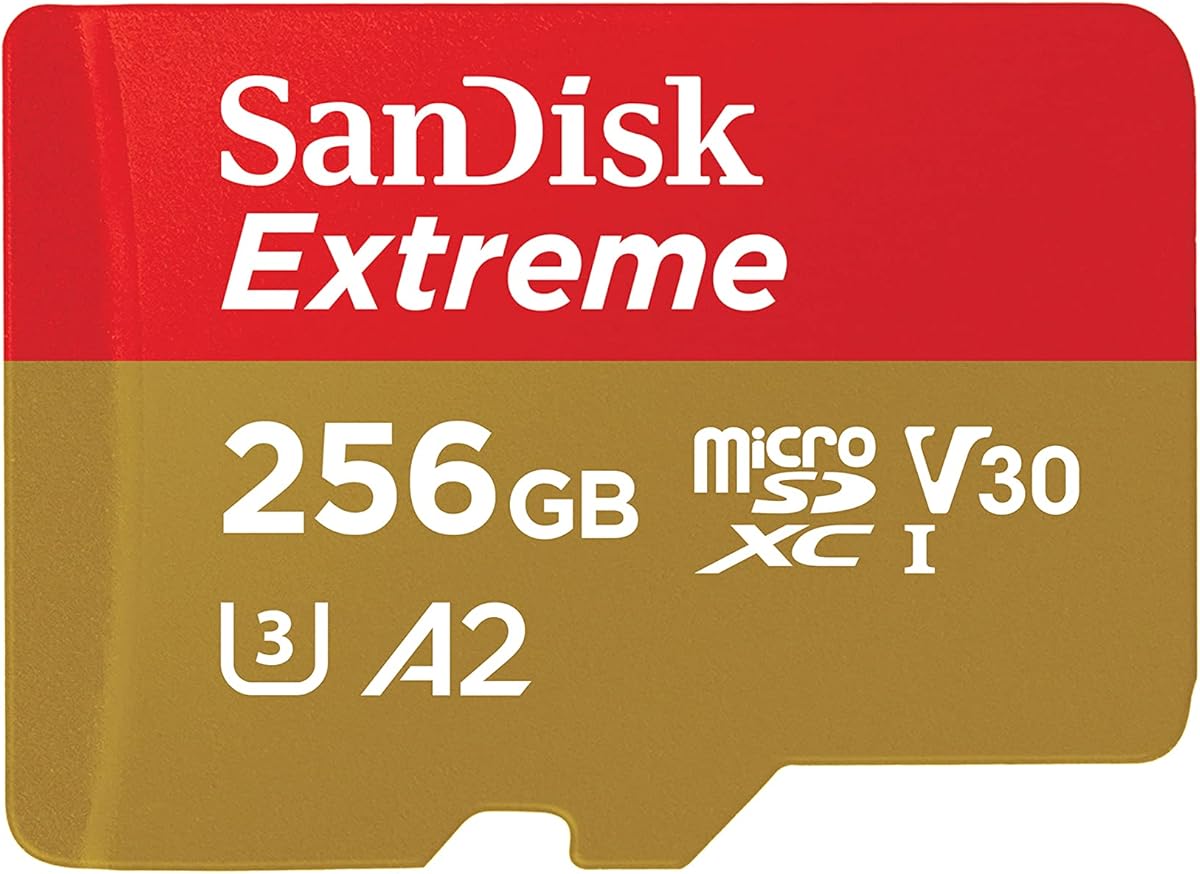
This card offers a massive 256GB of space along with high performance speeds for demanding tasks. It holds a 4.8 rating and is ideal for users who need lots of storage without external drives. The A2 and V30 ratings ensure consistent performance across uses.
We may earn a commission when you buy through this link, at no additional cost to you.
The read and write speeds are excellent allowing for fast data offload and media creation. You can store hours of video and large datasets on this single card. It is perfect for Pi media centers or projects that need significant data capacity.
The price is higher but the capacity and speed make it a good value for power users. Some Pi models may not fully utilize the top speeds but the card remains fast enough for smooth operation. It is a top choice for heavy storage needs.
If you need lots of space and speed this card is the ultimate option available. It eliminates the need for external storage in many cases and keeps your setup clean. With this card you can focus on your project without worrying about space.
256GB capacity allows storing large video files and data without needing extra drives.
Fast read write speeds ensure smooth operation for heavy workloads and video editing.
We may earn a commission when you buy through this link, at no additional cost to you.
This card provides 256GB of space with a high read speed of up to 195MB/s. It has a 4.6 rating and offers a good balance of capacity and performance for the price. The A4 rating helps apps run efficiently on the Raspberry Pi.
We may earn a commission when you buy through this link, at no additional cost to you.
It is ideal for storing large amounts of files media and data without the higher cost of extreme series. The speed is fast enough for most tasks including streaming and browsing. You get lots of storage without paying for features you might not need.
The main trade-off is slightly slower write speeds compared to the Extreme series. For heavy video recording this might be a limitation but for general use it is perfectly adequate. It is a practical choice for bulk storage on your Pi.
If you want a lot of space for a reasonable price this card is a smart choice. It combines large capacity with fast read speeds to keep your system running smoothly. It is a great value option for expanding your Pi storage.
256GB of space provides ample room for projects at a competitive price point.
A4 rating ensures apps load quickly and run smoothly on single board computers.
We may earn a commission when you buy through this link, at no additional cost to you.
Selecting the right card involves understanding capacity speed and compatibility. This guide breaks down the key factors to ensure you get the best performance.
Storage capacity determines how many files and programs you can keep on your card. For basic OS use 32GB or 64GB is often enough. However for media centers or large projects 128GB or 256GB provides more flexibility.
Choose a larger capacity if you plan to store media or data locally without external drives.
Speed class ratings like U3 and V30 indicate how fast data can be written and read. Higher ratings ensure smoother video recording and faster app loading. Look for U3 or A2 ratings for modern Pi models.
Higher speed classes improve responsiveness especially when running desktop environments or recording video.
Not all cards work well with every Pi model. Newer Pi 5 and 4B boards support faster interfaces. Always check if the card supports DDR50 or SDR104 for best performance on new hardware.
Ensure the card is compatible with your specific Pi version to avoid performance issues.
Preloaded cards come with an OS installed saving time on setup. Blank cards require you to flash an image yourself. Preloaded options are great for beginners or quick deployments.
Choose preloaded if you want ease of use or blank if you prefer custom configurations.
Many cards offer water resistance shock resistance and temperature tolerance. Look for cards with warranties to protect your investment. Reliable brands often provide better long term durability.
A good warranty and rugged build ensure your card lasts longer in various environments.
Prices vary based on brand capacity and speed. Balance what you need with your budget. Sometimes paying a bit more for speed and reliability saves money in the long run.
Focus on value by choosing a card that meets your performance needs at a fair price.
Well known brands often have better quality control and customer support. Look for established manufacturers that have positive user reviews. Avoid unknown brands that may have inconsistent performance.
Stick to reputable brands to ensure consistent quality and reliable performance over time.
Some cards come with a full size SD adapter for use in other devices. This is useful if you want to move the card to a camera or laptop. Check the product details to see if an adapter is included.
An included adapter adds versatility and saves you from buying one separately.
Properly insert the card into the slot on the underside of your Pi to ensure good contact. Push it in until it clicks and align the contacts correctly to prevent damage.
Always power down your Pi before inserting or removing the card to avoid data corruption. If using an external reader use it to transfer files safely without touching the Pi directly.
Keep your card in a dry dust free environment when not in use. Avoid exposing it to extreme heat or moisture to maintain its lifespan and performance over time.
The Pi 5 works best with high speed cards like U3 and A2 rated options. Look for brands with strong reliability and good read write speeds. Cards such as the SanDisk Extreme or Amazon Basics A2 models are excellent choices.
Most microSD cards work but performance varies. Use cards that meet the speed requirements of your Pi model. Higher speed classes ensure better performance for modern tasks like video recording and desktop use.
A preloaded card is optional but convenient for beginners. It saves the step of downloading and flashing the OS. If you prefer custom setups a blank card gives you full control over the software.
Depends on your use case. Basic projects can use 32GB or 64GB. For media or large datasets choose 128GB or more. More storage reduces the need for external drives.
Both indicate speed performance. U3 is for general high speed data while V30 is specific to video recording. V30 ensures a sustained write speed of 30MB/s which is vital for smooth video capture.
Official cards are optimized for compatibility but may be pricier. Third party cards with similar specs often perform just as well. Choose based on price and reliability rather than branding alone.
Use tools like Raspberry Pi Imager to clone your card to another. You can also use the terminal to create a disk image. Regular backups protect your work and system settings.
Slow speeds can be due to low speed class or a full card. Try formatting it and ensuring it is U3 or higher. Also check that your Pi model supports the card speed interface.
We reviewed ten top microSD cards for Raspberry Pi ranging from budget options to high performance premium picks. Each offers unique benefits depending on your storage needs and project complexity.
For most users the Beamo Preloaded or SanDisk Ultra provide great balance. Power users might prefer the SanDisk Extreme for speed and capacity. Consider your budget and use case before deciding.
Prices and availability change often so check current listings before purchasing. Selecting the right card ensures your Pi runs smoothly and handles your projects efficiently.